6Introductory training
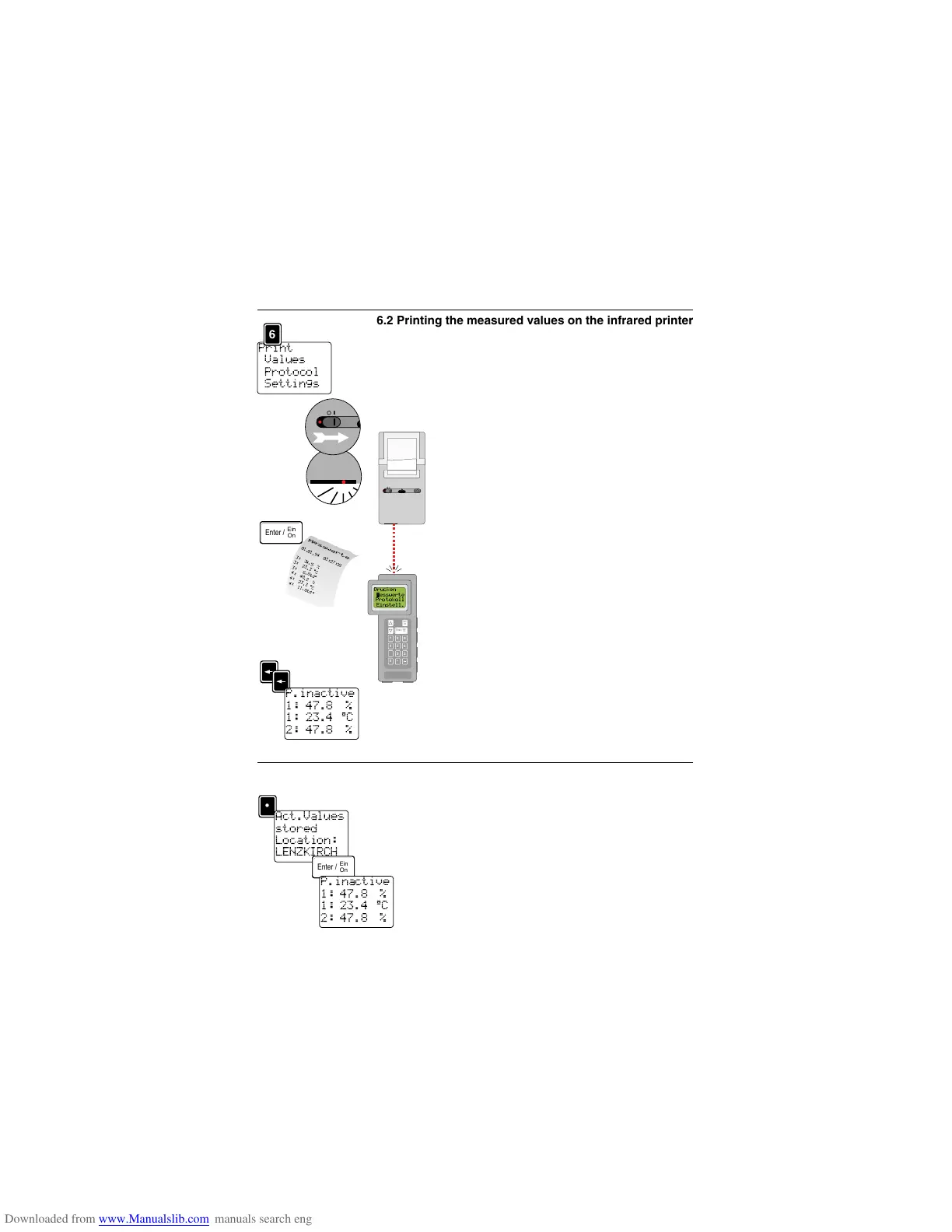
From the measuring menu go to the submenu “Print”
by pressing the key <6>, selection is on “MEASURED
VALUES”.
Switch on the printer.
Position the printer and the measuring instrument
such that the red control lamp is pointing in the direc-
tion of the infrared diode in the testo 454 measur-
ing instrument.
Confirm the menu point selected “PRINT - M
EASURED
VALUES
” with <Enter>.
The printer immediately prints the current measured
values.
Ensure that the infrared connection from the
measuring instrument to the printer is not inter-
rupted during the printing otherwise you may have
an incomplete printout.
Go back to the measuring menu after printing by
pressing <Arrow> twice.
6.3 Saving measured values
Save the current measured values out of the measu-
ring menu via the <point> key.
“Act.Values stored Location: LENZKIRCH” appears
in the display. The location “LENZKIRCH” is set in
the factory. It is possible to change the measuring
location or to set up a selection of different locations
(see next page).
Return to the measuring menu by pressing <Enter>.
11
Print
Values
Protocol
Settings



 To Next Page