8Main menu
8.1 Averaging
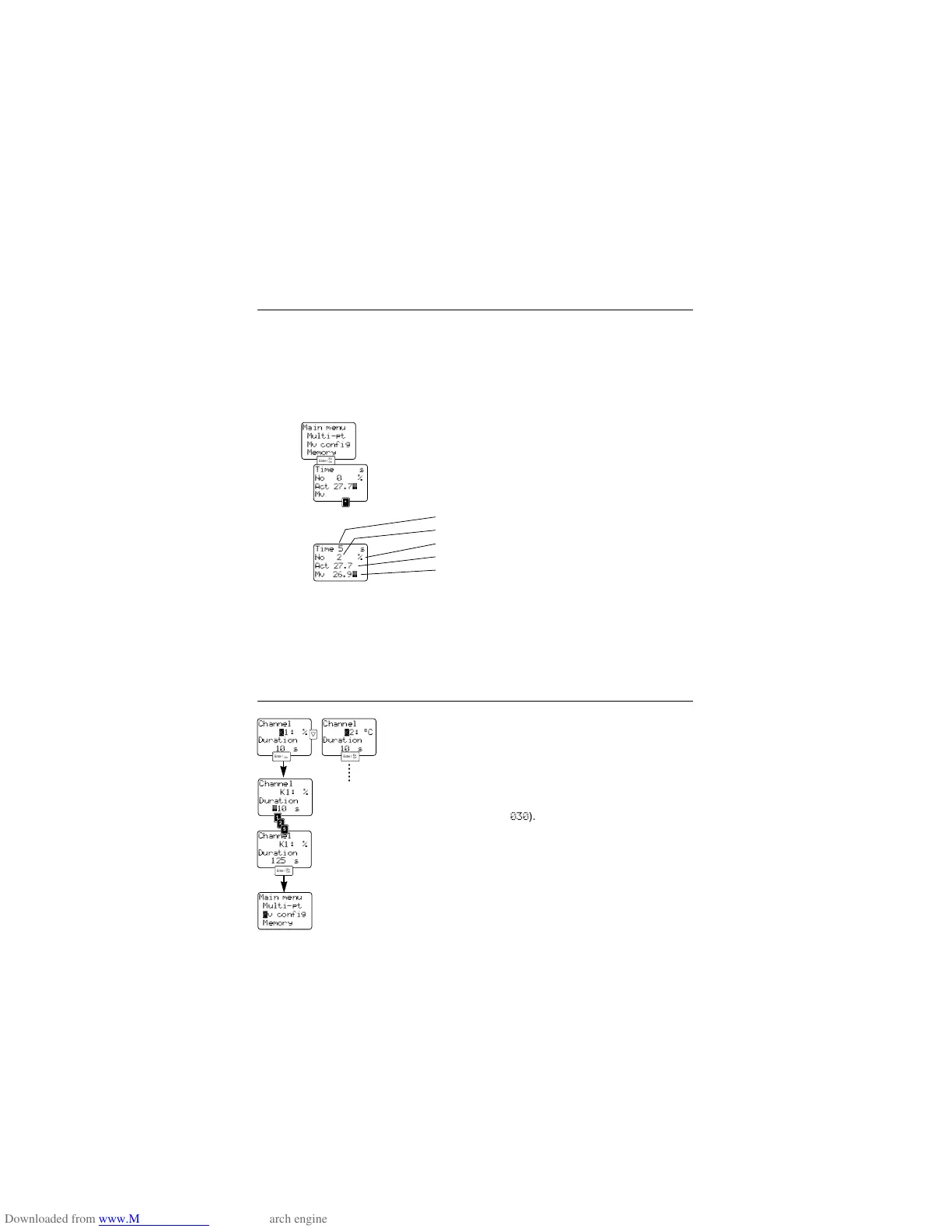
The parameters, taken as a basis when averaging,
are defined by you in the menu point “MV
CONFIG
”.
A measuring rate of 1 second is the basis for averag-
ing. The time is defined in the menu “MV
CONFIG”.
Select “M
ULTI-PT” from the main menu.
Measurement is started via the <Point> key.
The mask gives information on the
- remaining averaging time in seconds,
- number of averagings,
- parameter to be averaged (unit),
- current measured value,
- averaged measured value.
An averaging calculation which has been started can
be cancelled with the <Arrow> key and the measured
values are not saved. When leaving the menu by
pressing <Enter> the individual mean values and the
total mean values are automatically saved as a
protocol with the current location. Saved mean val-
ues can be called up in the menu “V
IEW MEMORY”.
8.2 Mean value configuration
Open the “MV CONFIG” menu.
Select a channel (=Parameter) via <up>/<down>.
Confirm with <Enter>, the cursor jumps to the next
line.
Enter the duration of the averaging in seconds (three
digit value e.g.
030
). Confirm with <Enter> and you
return to the main menu.
If you wish to check the entry or take an average
directly move the cursor via <up> to “M
ULTI-PT” and
confirm with <Enter>.
Proceed in the “M
ULTI-PT” menu as described above.
15
Main menu
Multi-pt
Mv config
Memory
Channel
∆1: %
Duration
10 s
Channel
∆2: °C
Duration
10 s



 To Next Page