8Main menu
8.6 Device
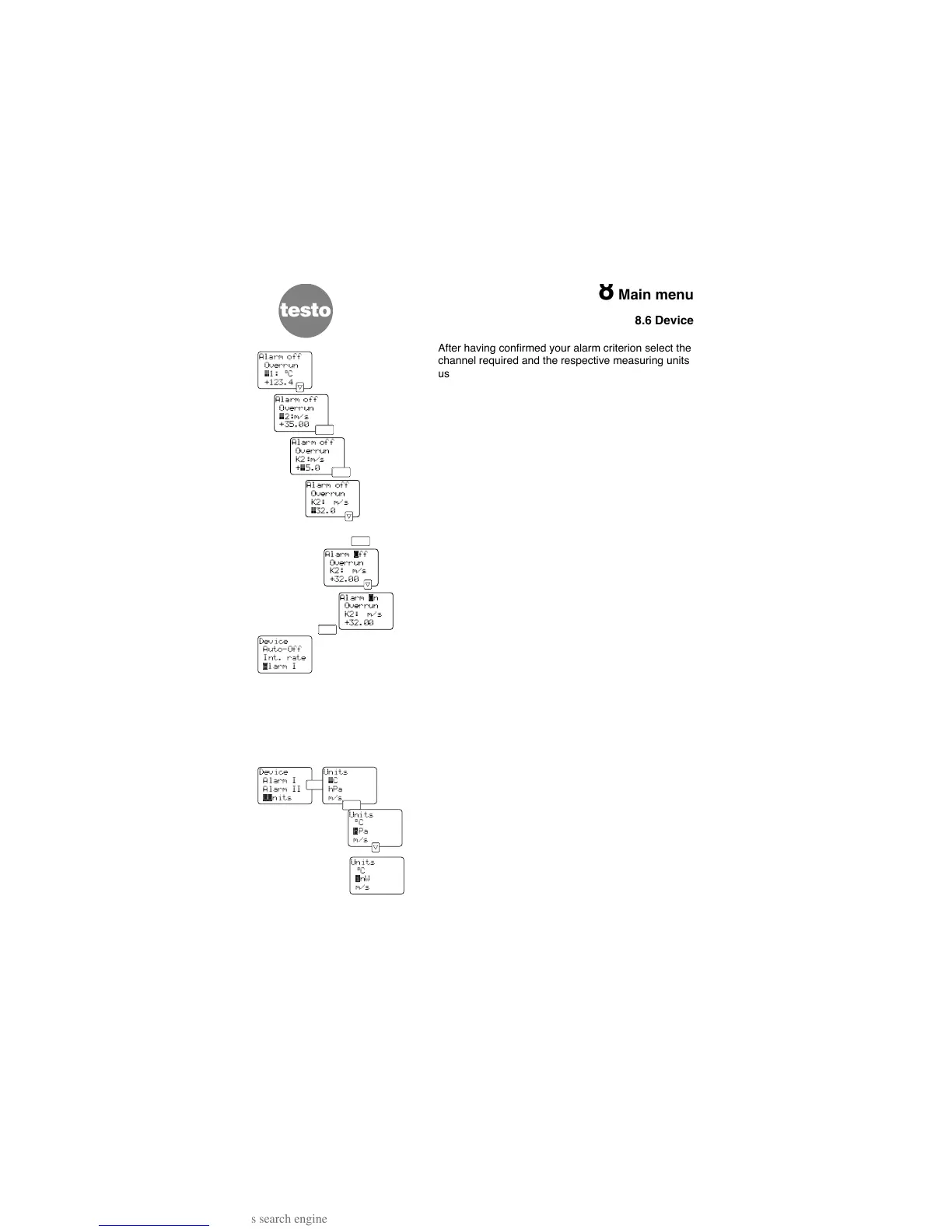
After having confirmed your alarm criterion select the
channel required and the respective measuring units
using the <up>< down> keys. Confirm your input by
pressing <Enter>.
Enter the limit required in the bottom line and confirm
by pressing <Enter>.
Set the top line to “Alarm on” via <up><down> and
confirm with <Enter>. You then return to the
“DEVICE” menu.
The example opposite is representative for all alarm
criteria.
The alarm remains active for as long as the meas-
ured value fulfills the alarm criteria selected.
The settings in the “Alarm 1” and “Alarm 2” settings
remain even after the instrument has been switched
off.
8.6.7 Units
Converting the units:
°C
{ °F
hPa { inW (inch Water column)
m/s { fpm
With <Enter> you can choose the parameters in the
menu “U
NITS”. Change the unit with <up><down>
(see above).
Quit this menu by pressing <Enter>.
These settings apply to all channels and remain set
after switching off the instrument.
28
Device
Alarm I
Alarm II
¨¨nits



 To Next Page