6 Operating the instrument
15
6.4 Using testo 770-3 with testo Smart App
6.4.1 Establishing Bluetooth
®
connecon
(testo 770-3)
You need a tablet or smartphone with the testo Smart App already installed on it
to be able to establish a Bluetooth connecon.
You can get the App for iOS instruments in the App Store or for Android
instruments in the Play Store.
✓ The testo Smart App is installed on your mobile terminal device and ready for
use.
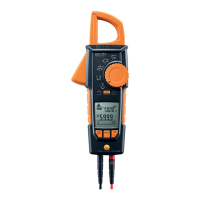
testo 770-3 (0590 7703):
> Enable Bluetooth
®
: press and hold down [ ] and turn the rotary switch from
[OFF] to a funcon. Then release [ ].
- CONN appears in the display. If the Bluetooth
®
connecon is established,
appears in the display and the instrument changes to the set measuring
mode.
> Disable Bluetooth
®
: Turn rotary switch to [OFF].
testo 770-3 (0590 3770):
> Enable Bluetooth
®
: press and hold down [ ] unl a ashing appears on
the display. Then release [ ].
- If the Bluetooth
®
connecon is established, stops ashing on the display.
> Disable Bluetooth
®
: press and hold down [ ] unl disappeares on the
display. Or turn rotary switch to [OFF].
6.4.2 Transming readings
✓ testo 770-3 is switched on and connected to your mobile terminal device via
Bluetooth.
- The current readings are automacally displayed in the App.


 To Next Page