3 Description of the instrument
9
3 Description of the instrument
3.1 Use
The instrument is a handy, robust thermal imager. You can use it to undertake
the non-contact measurement and display of surface temperature distribution.
Areas of application
• Building inspection: Energy efficiency rating of buildings (heating, ventilation,
air-conditioning trade, building engineers, engineering firms, experts)
• Production monitoring / quality assurance: monitoring of production
processes
• Preventive maintenance / servicing: Electrical and mechanical inspection of
systems and machines
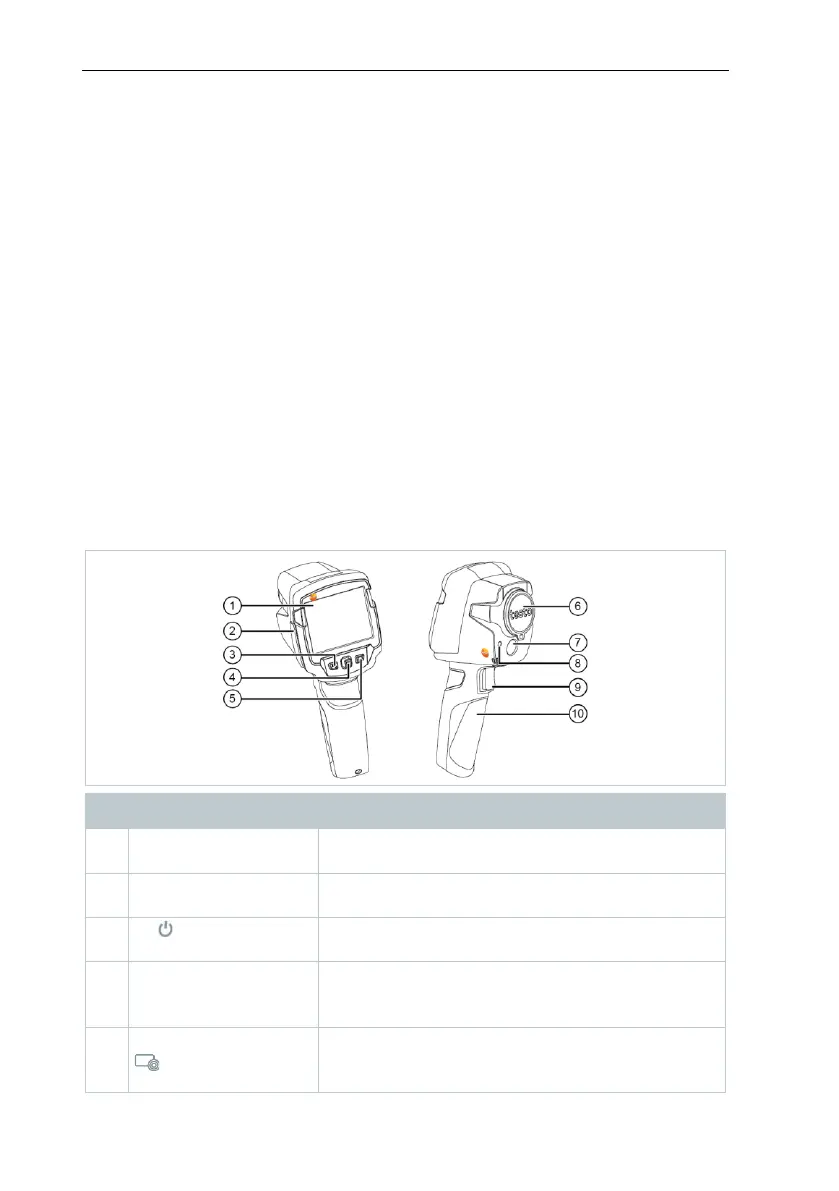
3.1 Instrument / operating elements
overview
- Open menu, select function, confirm setting
- Navigate within the menu, highlight function,
select colour palette



 To Next Page