7 Performing the measurement
25
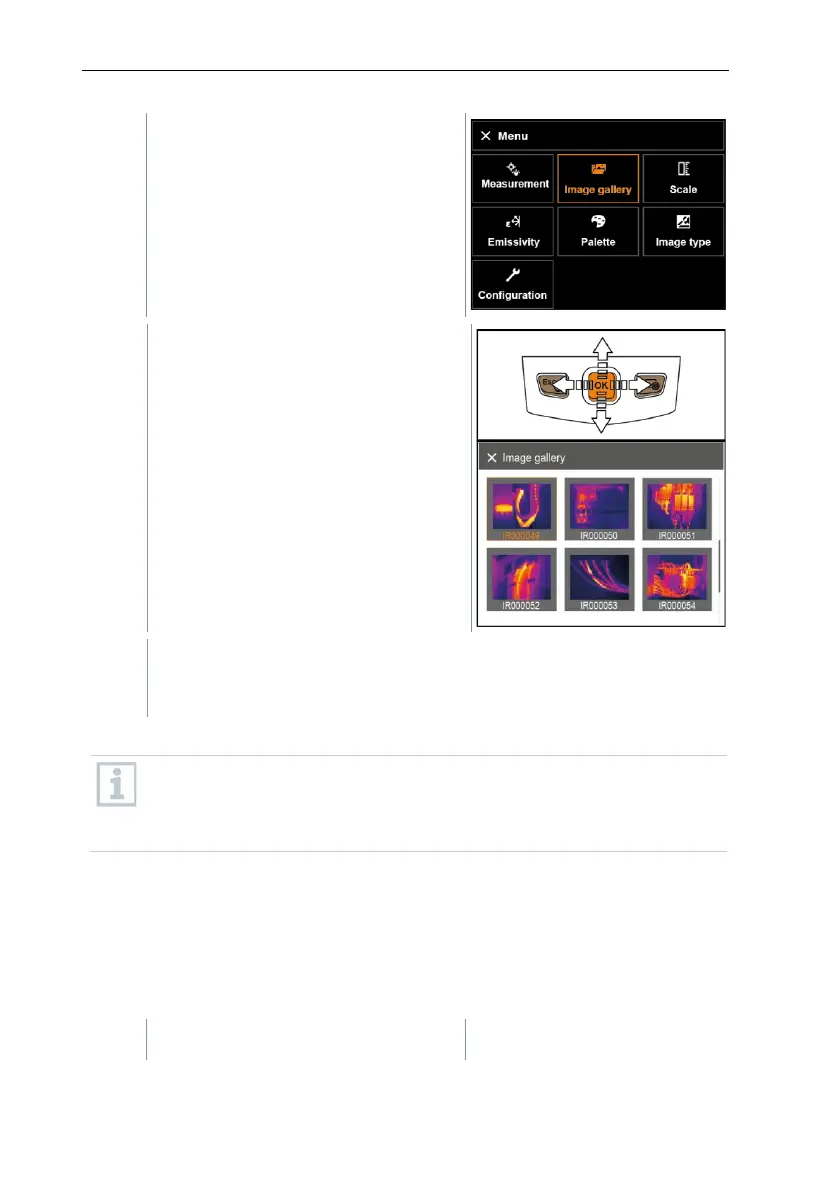
All saved images are displayed in the
form of an infrared image preview.
- Move joystick to select an image.
- Press OK to open the selected image.
If an image is saved with SuperResolution, the image gallery contains
an (IR) image and a high-resolution image (SR). The images show the
same image section. They can be displayed and analyzed in the image
gallery.
The measurement functions Center spot, Hotspot, Coldspot, Min/Max on
area and Differential temperature can be used to analyze saved images. In
saved images the crosshairs, which mark the measuring point, can be moved
using the joystick.
For a description of the individual functions, please read the information in the
relevant sections.
Delete image
- Select Image gallery function.



 To Next Page