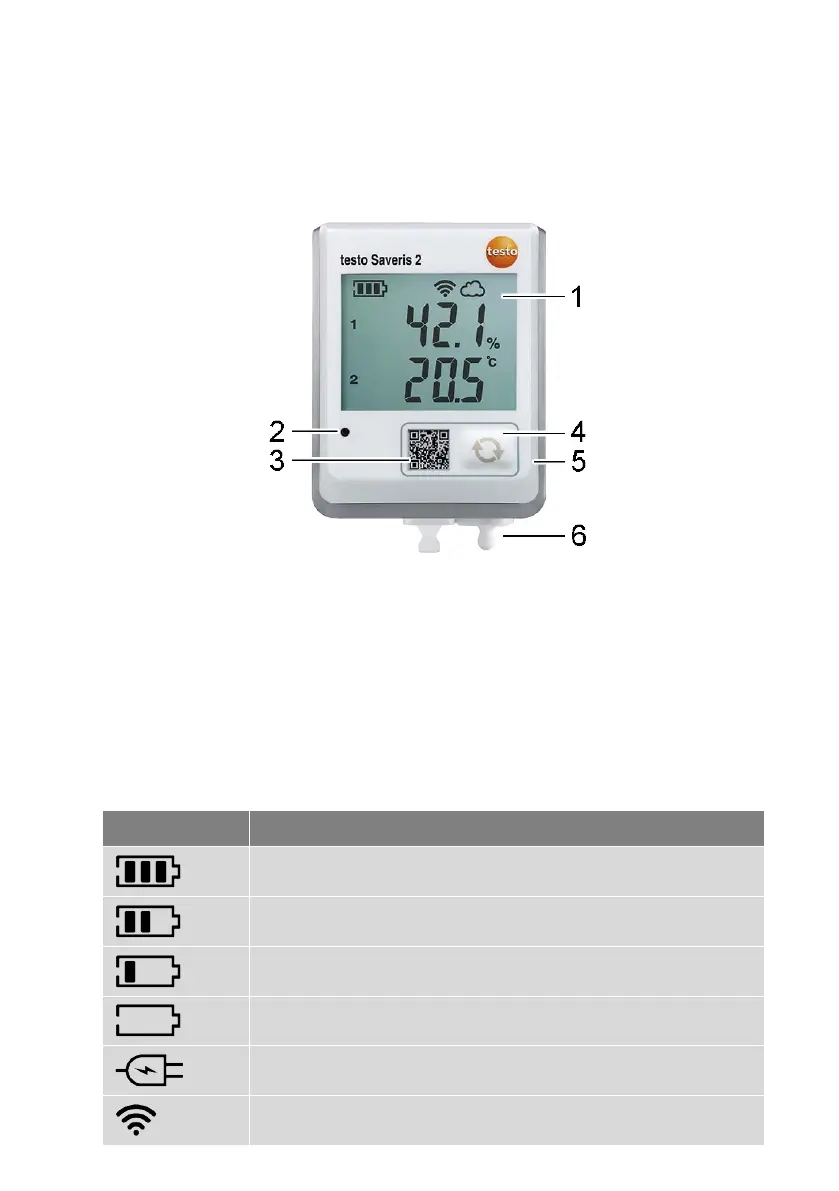
6.4 Display and control elements
6.4.1 Overview
1 Display
2 Alarm LED, flashes red in the event of an alarm
3 QR code, for direct access to the instrument data in the Testo Cloud
4 Control key, to manually start data transfer
5 Battery compartment (on rear)
6 USB and probe sockets (on the bottom, instrument-specific)
6.4.2 Display icons
Icon Description
Battery capacity 75% to 100%
Battery capacity 50% to 74%
Battery capacity 25% to 49%
Battery capacity 5% to 24%, icon flashes: battery capacity < 5%
External power supply (via USB port)
WLAN signal strength 100%



 To Next Page