© 1999 T
EXAS
I
NSTRUMENTS
I
NCORPORATED
TI-30X ÙS: A Guide for Teachers
43
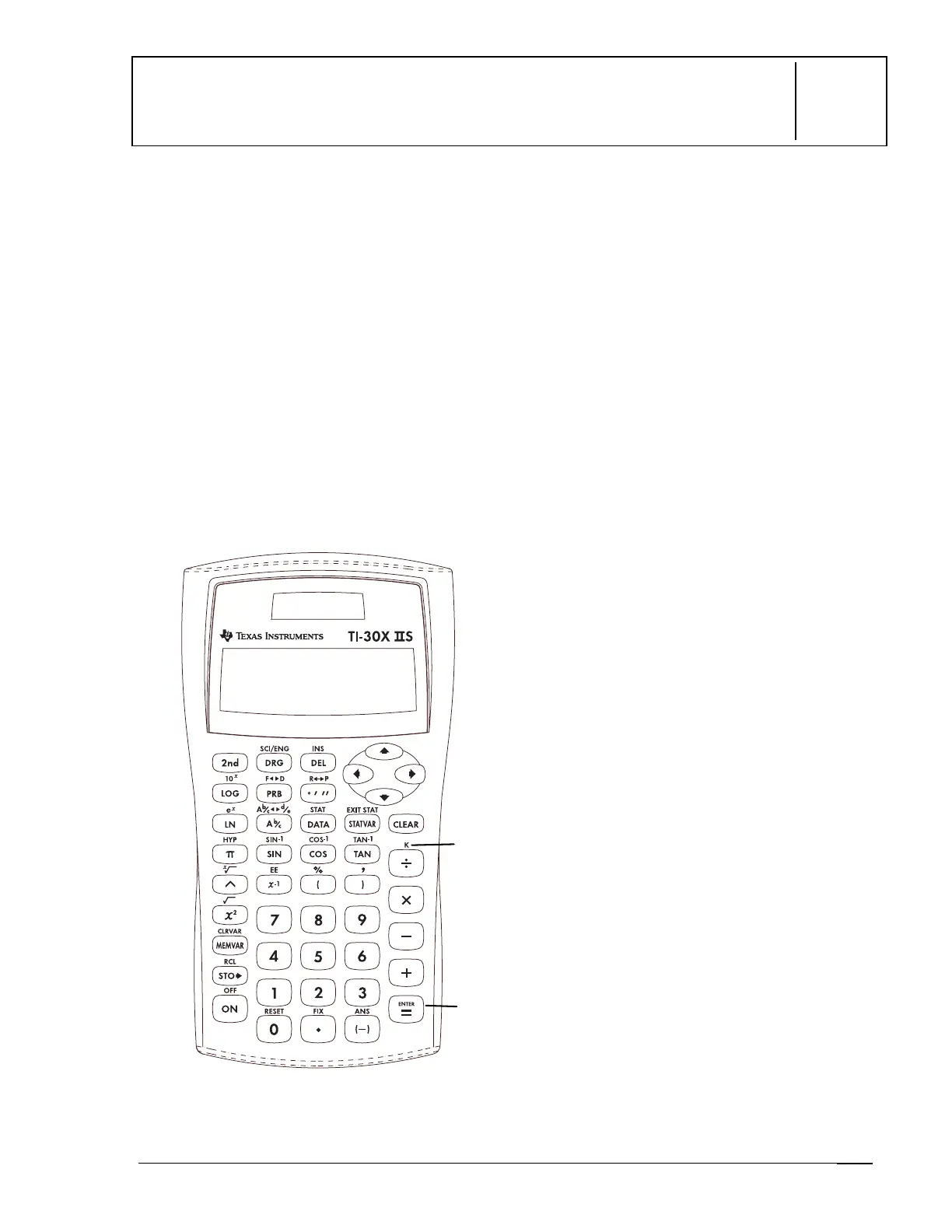
Constant
5
Keys
1.
%
l
turns on the constant mode and
lets you define a constant. A
K
displays
when the constant mode is on.
2.
<
places the contents of
K
at the end
of the expression in the display.
Notes
•
The examples on the transparency masters
assume all default settings.
•
All functions, except statistics, work in
constant mode.
•
To enter a constant:
1. Press
%
l
. If a constant is
already stored, press
-
to clear
it.
2. Enter your constant (any set of
operations, functions, and values).
3. Press
<
to turn on the constant
mode.
K
appears in the display.
4. Press
-
to clear the display.
5. Enter an initial value. If you do not
enter a value, 0 is assumed, and
Ans
will appear in the display.
6. Press
<
to place the contents of
K
at the end of the expression and
evaluate it.
7. Continue pressing
<
to repeat
the constant.
The result is stored in
Ans
, which is
displayed, and the constant is used
to evaluate the new expression.
1
2


 To Next Page
 Loading...