© 1999
T
EXAS
I
NSTRUMENTS
I
NCORPORATED
TI-30X ÙS: A Guide For Teachers
88
Notation
14
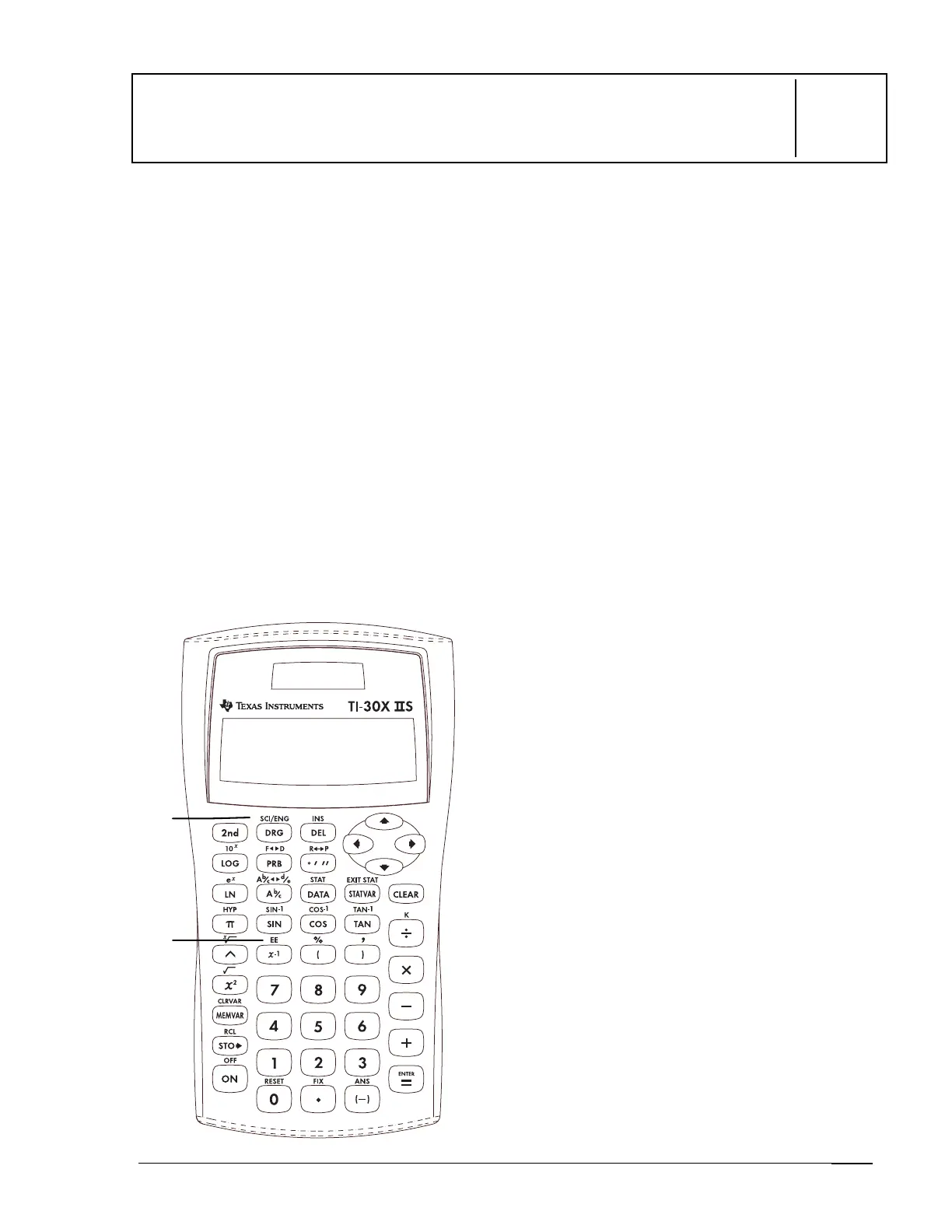
Keys
1.
%
d
displays the following numeric
notation mode menu.
FLO
Restores standard mode
(floating decimal).
SCI
Turns on scientific mode
and displays results as a
number from 1 to 10 (1
n
< 10) times 10 to an
integer power.
ENG
Turns on engineering mode
and displays results as a
number from 1 to 1000 (1
n < 1000) times 10 to an
integer power. The integer
power is always a multiple
of 3.
2.
%
C
lets you enter and calculate the
exponent.
Notes
•
The examples on the transparency masters
assume all default settings.
•
You can enter a value in scientific notation
regardless of the numeric notation mode
setting. For a negative exponent, press
M
before entering it.
•
Results requiring more than 10 digits are
automatically displayed in scientific
notation.
•
For the Decimal notation mode, refer to
%
‚
in Chapter 6, Decimals and
Decimal Places.
•
These modes (
FLO
,
SCI
, and
ENG
) affect
only
the display of results.
1
2



 To Next Page
 Loading...