© 1999 T
EXAS
I
NSTRUMENTS
I
NCORPORATED
TI-30X ÙS: A Guide for Teachers
52
Fractions
8
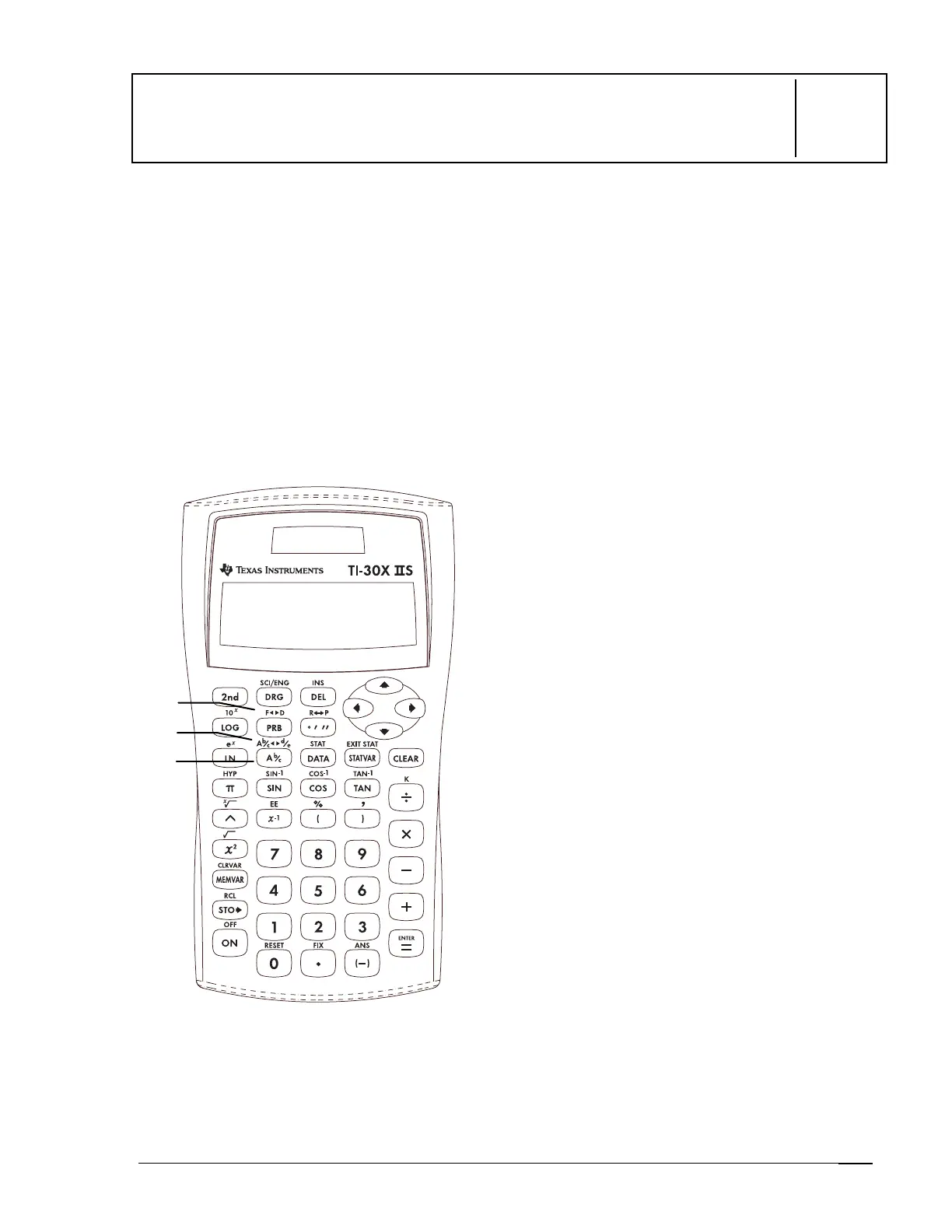
Keys
1.
N
lets you enter mixed numbers and
fractions.
2.
%
O
converts a simple fraction to
a mixed number or a mixed number to a
simple fraction.
3.
%
j
converts a fraction to its decimal
equivalent or changes a decimal to its
fractional equivalent, if possible.
Notes
•
The examples on the transparency masters
assume all default settings.
•
To enter a mixed number or a fraction,
press
N
between the whole number and
the numerator and between the numerator
and the denominator.
•
You can enter a fraction or mixed number
anywhere you can enter a decimal value.
•
You can use fractions and decimals
together in a calculation.
•
Fractional results and entries are
automatically reduced to their lowest
terms.
•
Fractional calculations can show fractional
or decimal results.
When possible, calculations involving
2 fractions or a fraction and any
integer will display fractional results.
Calculations involving a fraction and
a decimal will always display results
as decimals.
•
For a mixed number, the whole number can
be up to 3 digits, the numerator can be up
to 3 digits, and the denominator can be
any number through 1000.
•
For a simple fraction, the numerator can be
up to 6 digits and the denominator can be
any number through 1000.
1
2
3



 To Next Page
 Loading...