28 Working with Graphs
Working with Graphs
This section covers how to change color options on a graph, how to draw points on a
graph, and how to insert an image as a background on a graph.
Using the Graph Screen
The examples below show how to set up the graph of a function. Here, the mode is set
to FUNCTION and the default settings are assumed.
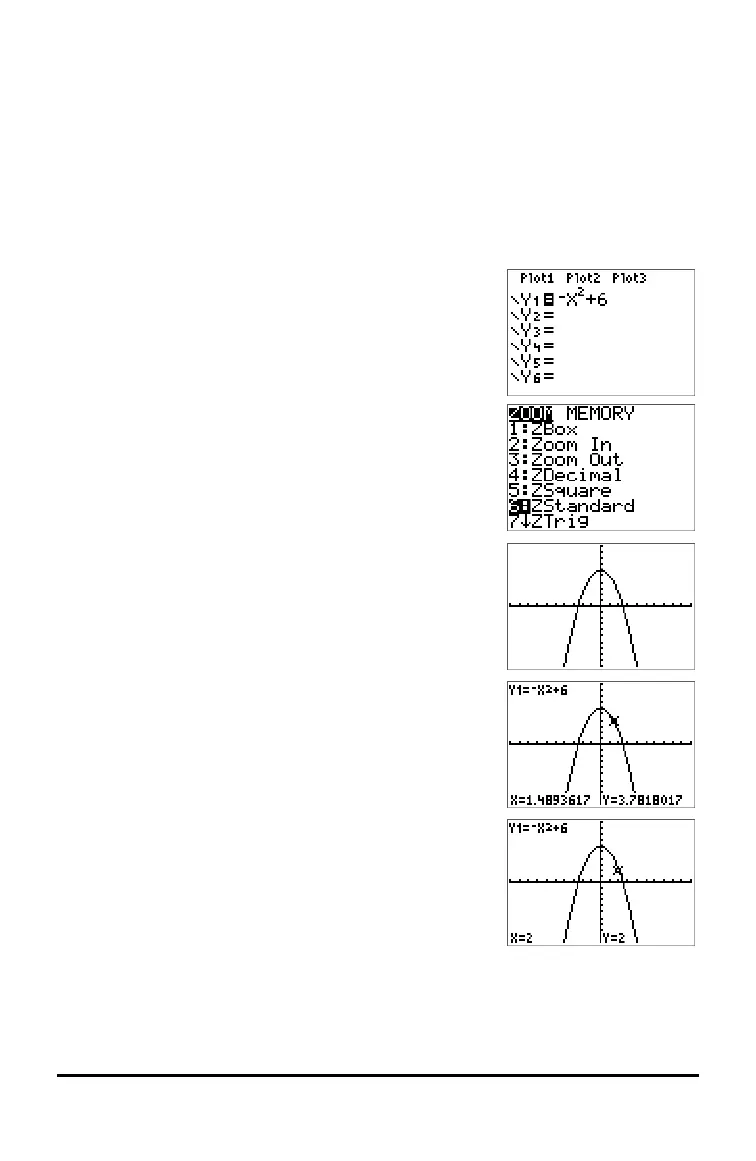
Enter an equation in the Y= editor.
Press o.
Press k „ ¡ Ã 6.
Press q to select pre-set graph windows. Press q
6:ZStandard.
Press [graph].
Press [trace] and use arrow keys to trace along the graph.
Press [2] to jump to X=2.









 To Next Page