Using Your TI-84 Plus T Graphing Calculator
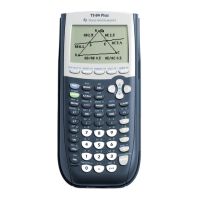
The TI-84 Plus T graphing calculator comes with a USB cable, plenty of storage and
operating memory. It includes software applications (Apps) to help you perform pre-
algebra, calculus, and science calculations.
Key Features
• Familiar TI-84 Plus graphing calculator functionality
- Same menu structure and navigation as the TI-84 Plus
- Built-in MathPrint™ functionality to input and view math symbols, formulas,
and a fraction template
• Essential Functions
- Cartesian and Sequence Graphing
- Parametric and Polar Graphing
- Numeric Table of Values
- Statistics and Distributions
- Numeric Solver
- TI-Basic Programming
- Matrix Computations
• Built-in Applications (Apps)
- Extend the functionality of your calculator:
- Cabri™ Jr
- CellSheet™
- Conic Graphing
- Vernier EasyData™
- Inequality Graphing
- Periodic Table
- Polynomial Root Finder and Simultaneous Equation Solver
- Probability Simulations
- Science Tools
- Transformation Graphing
- Language Localization Apps
• Exam Mode and Exam LED
- The TI-84 Plus T contains an exam mode setting with an exam LED feature.
Use this guide to learn more about these features and other essential tools of your TI-
84 Plus T graphing calculator.
Using Your TI-84 Plus T Graphing Calculator 1












 To Next Page