EN
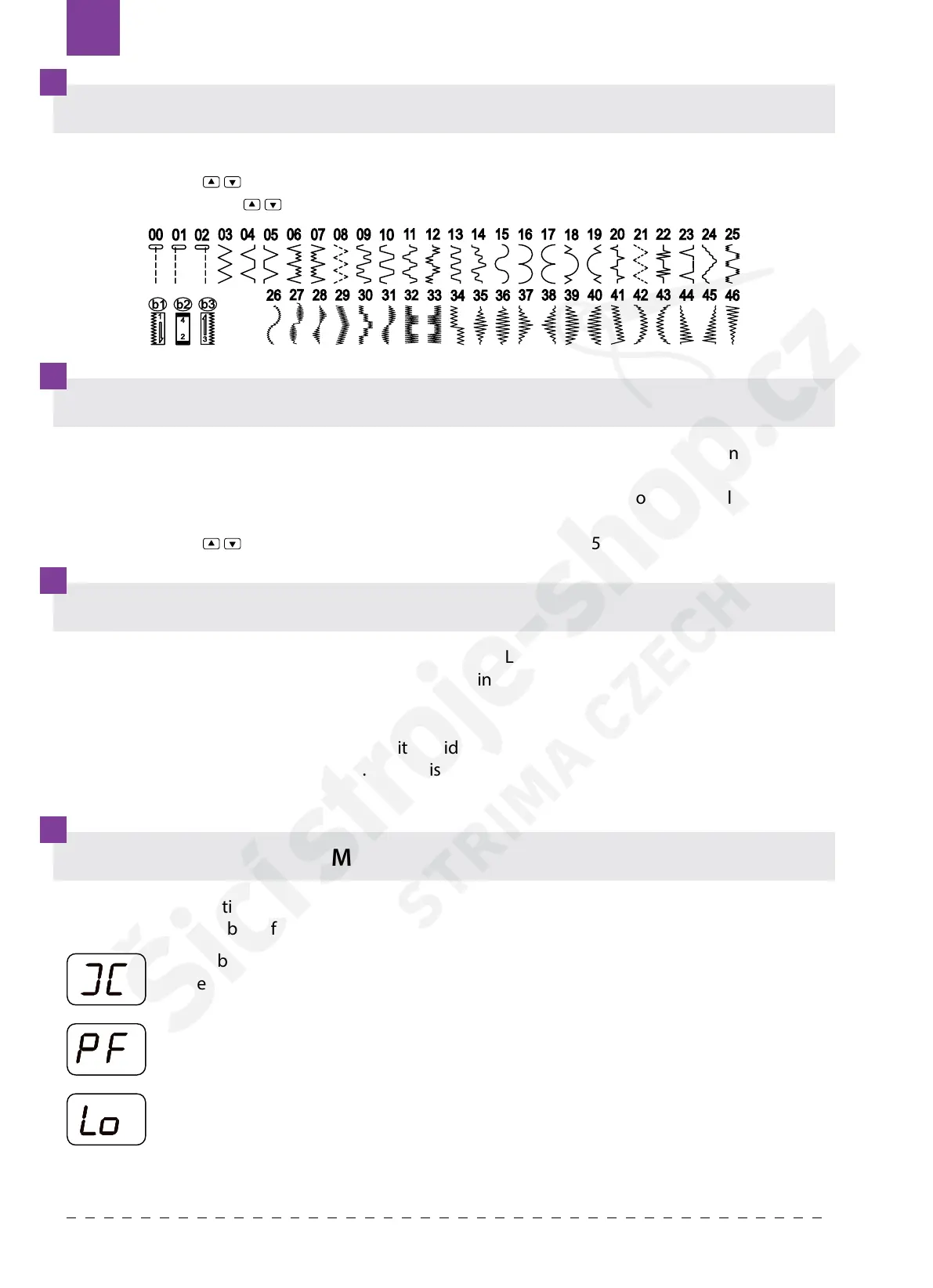
PATTERN SELECTION
STITCH WIDTH SELECTION
TWIN NEEDLE SELECTION
ADDITIONAL WARNING MESSAGES ON THE LCD
1. Turn on the sewing machine, the pattern indicator LED will be right on.
2. Press button
to increase or decrease the pattern number one by one.
3. Long press button
to increase or decrease the pattern number ten by ten.
Long press the MODE button, the “twin needle indicator LED” will light up.
Long press this button again, the “twin needle mode indicator LED” will light o.
NOTE: If select the twin needle mode, before whatever pattern you select, press mode button to
select twin needle mode. In this way, the stitch width can be automatically reduced to prevent the
twin needle touching the needle plate. Otherwise the needle will be broken or the machine may
be damaged.
If an incorrect operation is made, a helpful message will be displayed. When a helpful message is
displayed, x the problem following the instructions below.
1. Press the MODE button once, the “stitch width mode indicator LED” will light on, and the
pattern indicator LED will turn o.
2. Press the mode selection button again, the “stitch width mode indicator LED” will light o,
and the pattern indicator LED will light on.
3. Press button
to increase or decrease the stitch width by 0.5 mm.
The bobbin winder is moved to the right.
Move bobbin winder to left when it is not used.
Presser foot is raise up.
Put down the presser foot.
Machine is locked up due to thread entangled with bobbin case or rotation
interrupted forcibly.
Turn o power switch and eliminate the problem that caused the machine to stop.
Texi Joy 4872


 To Next Page