116
Installation and Maintenance
Service Manual
Step Procedure
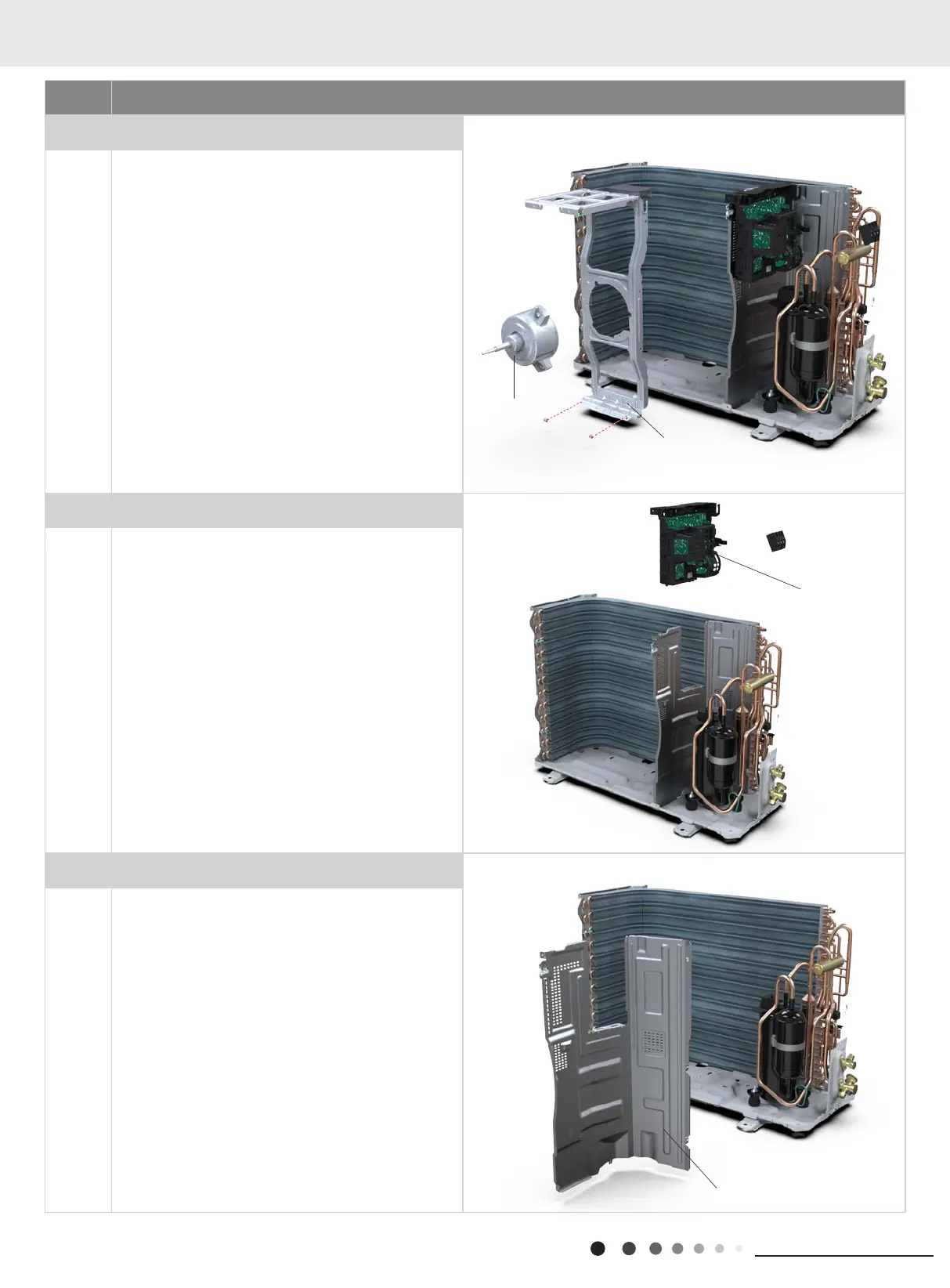
7. Remove motor and motor support
Remove the tapping screws xing the motor and
disconnect the leading wire insert of the motor. Then
remove the motor.
Remove the tapping screws xing the motor support
and lift the motor support to remove it.
8. Remove Electric Box Assy
Remove screws xing the electric box subassembly;
loosen the wire bundle and unplug the wiring terminals.
Then lift the electric box to remove it.
9. Remove isolation sheet
Remove the screws xing the isolation sheet and then
remove the isolation sheet.
motor support
motor
Electric Box Assy
isolation sheet
11. Removal Procedure



 To Next Page