111
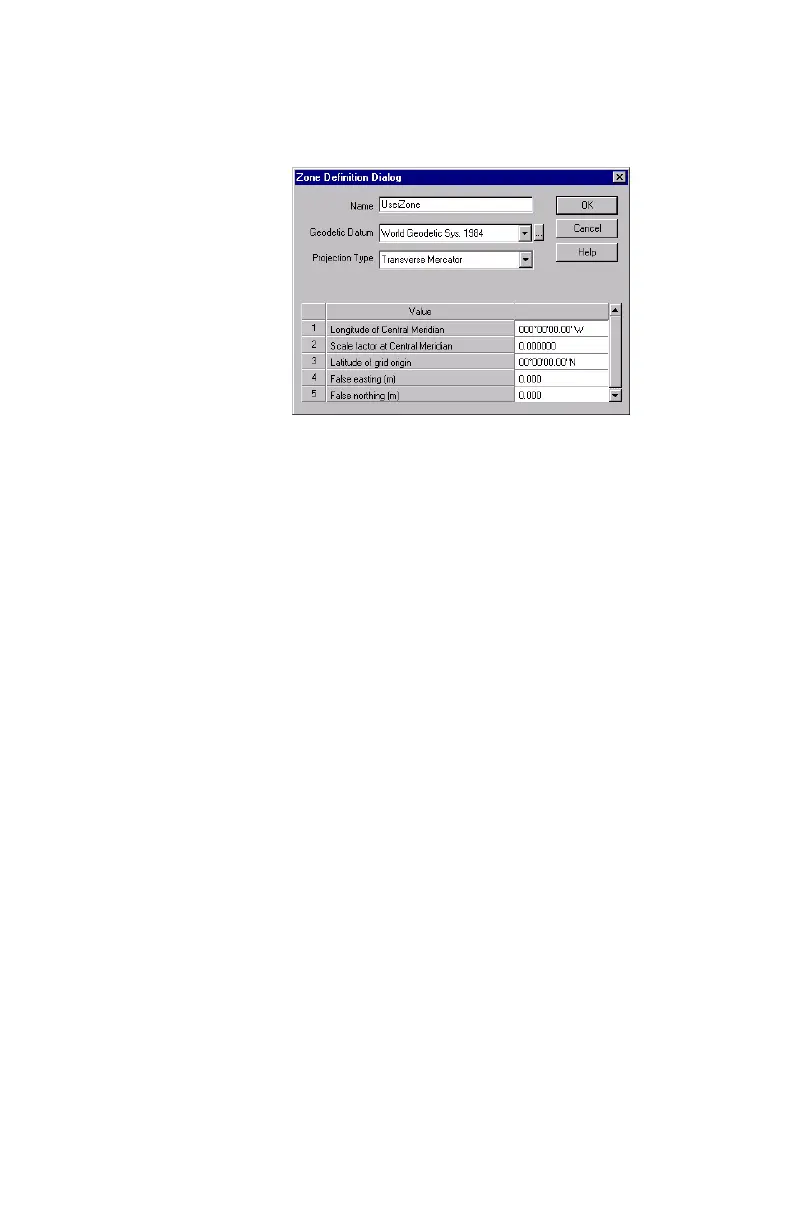
This opens a new dialog box in which you should
define a name, a datum, a projection and other
parameters for this zone (see example below).
- Then click
OK to close this dialog box.
-Click
OK again to close the Grid System Definition dia-
log box.
-Click
OK again to close the Coordinate System dialog
box and make the newly defined system the currently
used coordinate system in MobileMapper Office.
Note: Although MobileMapper Office allows you to
create new coordinate systems and datums, you can-
not upload them to the receiver. This is done to pre-
serve the maximum amount of receiver memory for
data collection. However, creating new coordinate
systems and datums on MobileMapper Office will
allow you to compare the data you collect in the field
with exiting GIS data sets all in the same system/
datum.


 To Next Page