65
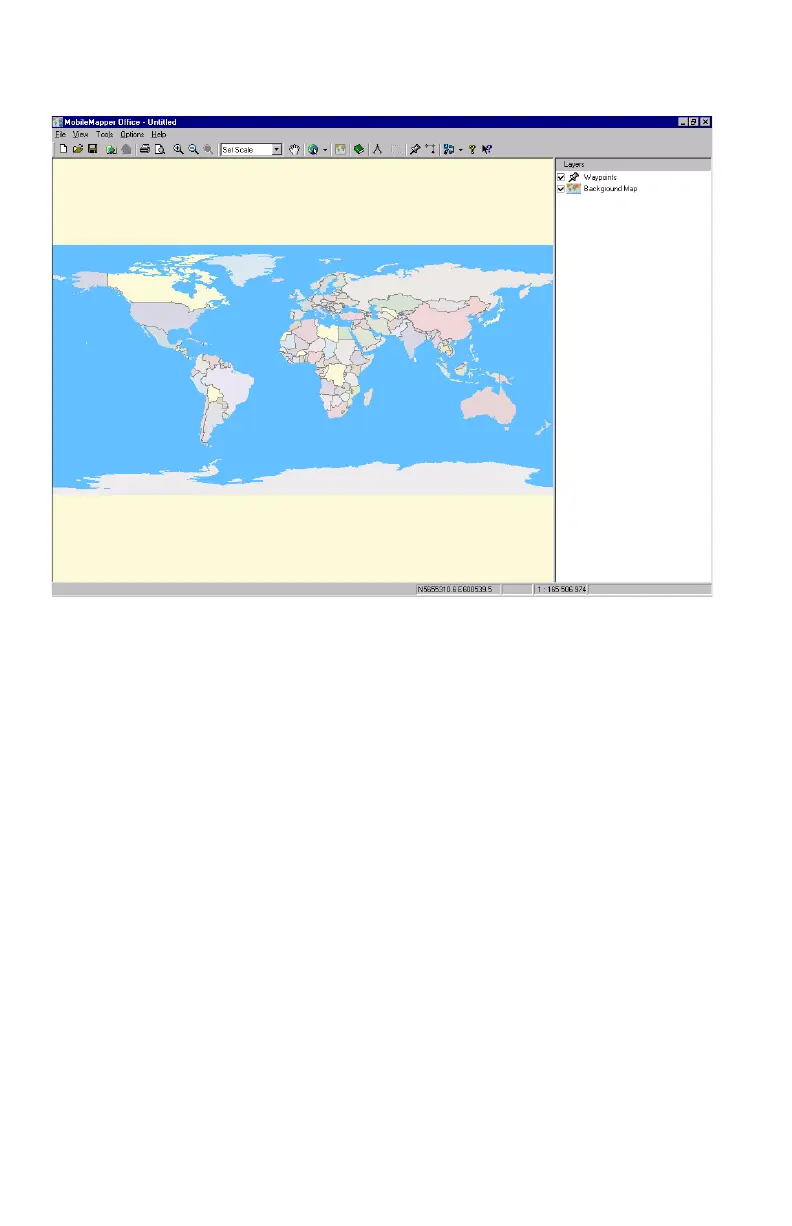
MobileMapper Office Main Window
The main window of MobileMapper Office is organized as
explained below (see also above figure):
- The Map Display area runs from the bottom of the Menu
bar to the bottom border. It takes up about two-thirds of
the screen, right to left.
- At the bottom of the window, in the status bar, a box is
used for displaying the geographic location of the cursor
in the selected coordinate system
- The right third of the window is used to display the Layer
List. When opened, the window relevant to the Way-
points or Routes List is placed over the Layer List.
- The Create Map editor and the Feature Library Editor are
each displayed in a secondary window that appears at the
center of the screen.
Map Display area
Layer List


 To Next Page