33
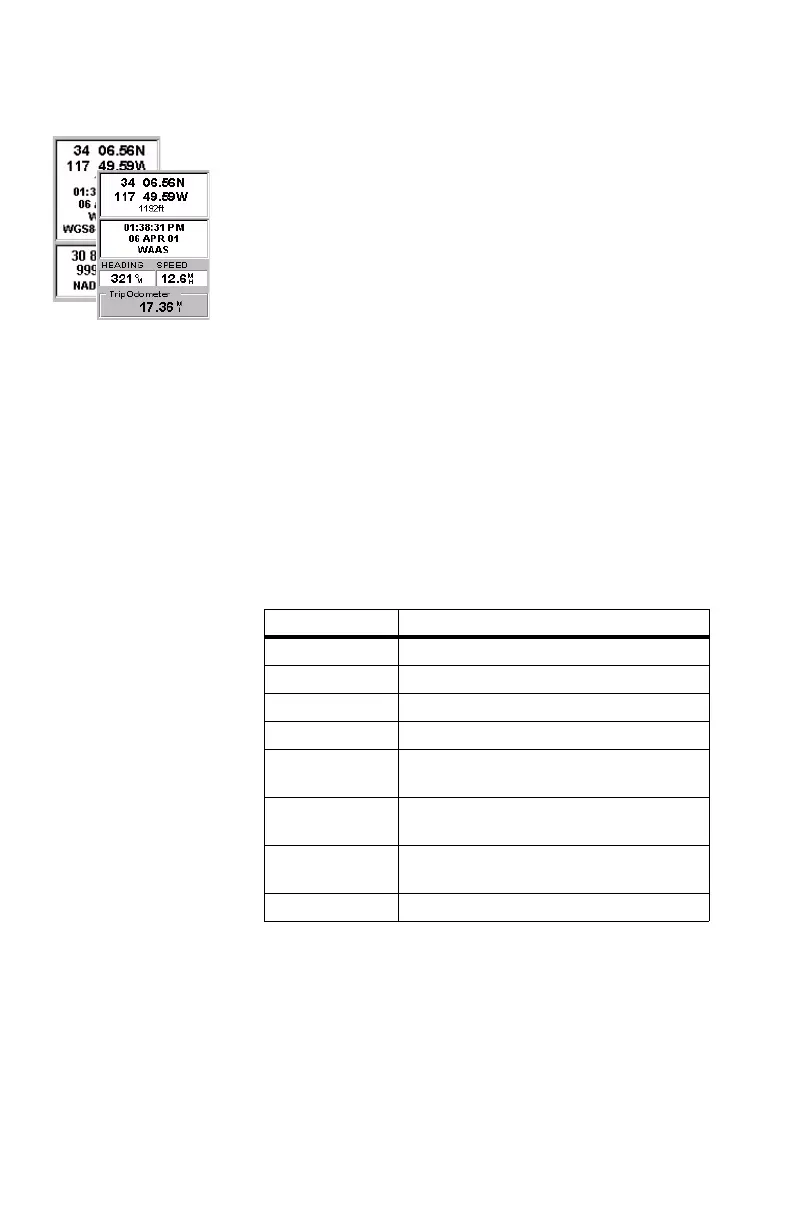
Position Screens 1 & 2
To switch from a screen
to the other, just press the
Left or Right arrow key
The same data as on
Position screen 1 is dis-
played on Position
screen 2 except that the
lower part of the screen,
containing the two data
fields and the trip odom-
eter field, is replaced
with the current posi-
tion’s coordinates
expressed in the chosen
secondary coordinate
system and map datum.
Position Screens
Position screens #1 and #2 display your present position us-
ing the coordinate systems that you have selected. This
screen shows all of the basic position, time and satellite in-
formation. Additionally, on Position screen #1, current nav-
igation information is shown in the bottom half of the screen.
For the sake of comparison, Position screen #2 provides the
coordinates of your present position both in the selected pri-
mary coordinate system and map datum, and in the selected
secondary coordinate system and map datum.
Position screen #1 contains the following information, from
top to bottom:
- Coordinates and elevation of your current position: Dis-
plays your current position in the chosen coordinate sys-
tem. Also displays the elevation of the current position.
If MobileMapper is not computing position fixes, the last
computed position is displayed.
- GPS Status: Provides information on the current status of
the GPS receiver portion of the MobileMapper (see table
below).
Message Description
Searching - 1st sat Searching for 1st satellite
Searching - 2nd sat 1st satellite found; searching for 2nd satellite
Searching - 3rd sat 2 satellites are being tracked; searching for a 3rd
Searching - 4th sat 3 satellites are being tracked; searching for a 4th
Collecting Data All satellites needed for position fix are being
tracked and position is being computed
Averaging MobileMapper is computing fixes; speed is near
0.0 and so position is being averaged
EPE xxx. Estimated Position Error. MobileMapper is comput-
ing fixes while moving
DGPS Computed fixes are being differentially corrected


 To Next Page