80
Defining Feature Attributes
- Under the feature library name, in the left-hand part of
the Feature Library Editor window, select the first feature
name, right-click on it and select
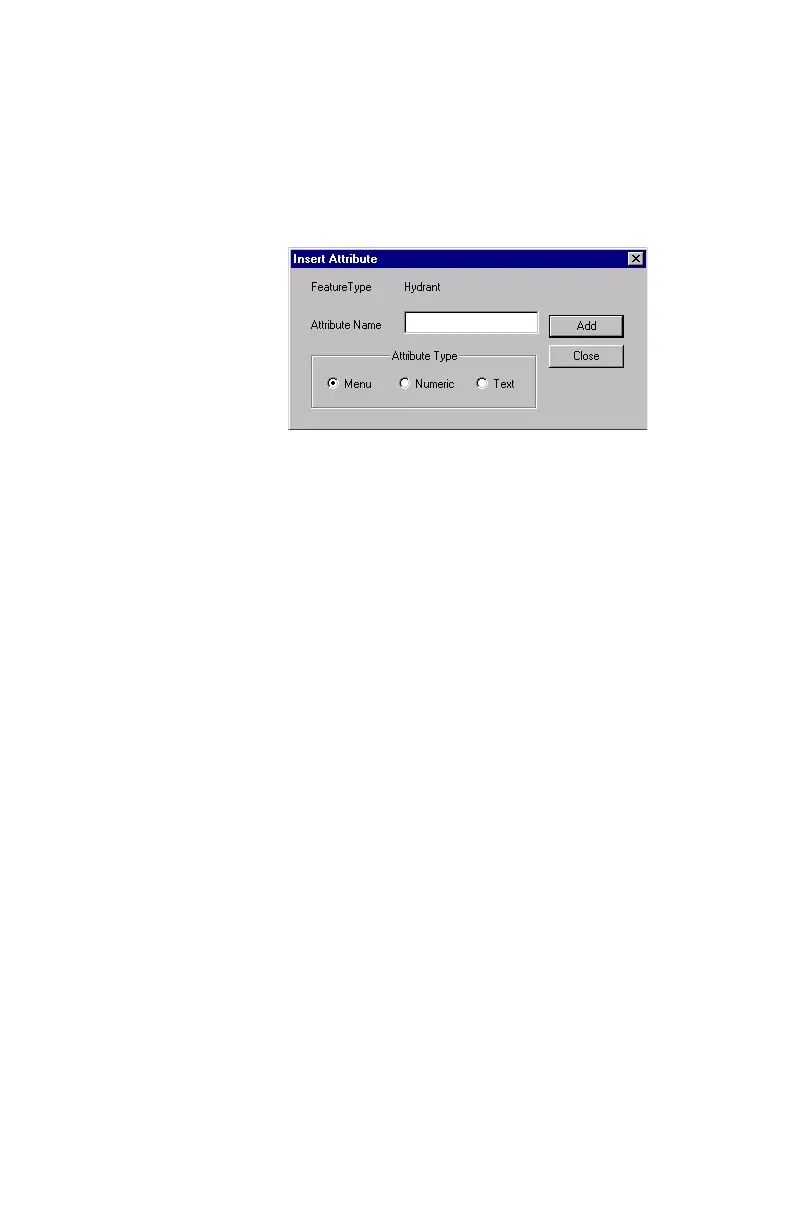
Insert Attribute. A new
dialog box opens where you can define the first attribute
for the feature:
- Enter a name for this attribute in the
Attribute Name field
- Indicate the type of the attribute. There are three types of
attributes: Menu, Numeric and Text. If the attribute con-
sists of a list of statements that the field operator will
have to choose from, check
Menu, if it refers to a number
the field operator will have to enter, check
Numeric, and if
the feature refers to a description or any other alphanu-
meric string that the field operator will have to type in,
check
Text.
- Then click
Add to add another attribute for the feature, or
Close after the last attribute has been defined.
- Select the second feature on the left, right-click on it,
select
Insert Attribute and then define all the feature’s
attributes as explained above. Click the
Close button
when it’s done.
- Repeat the above steps until all the attributes have been
defined for all the features present in the library


 To Next Page