Navigating and making Changes
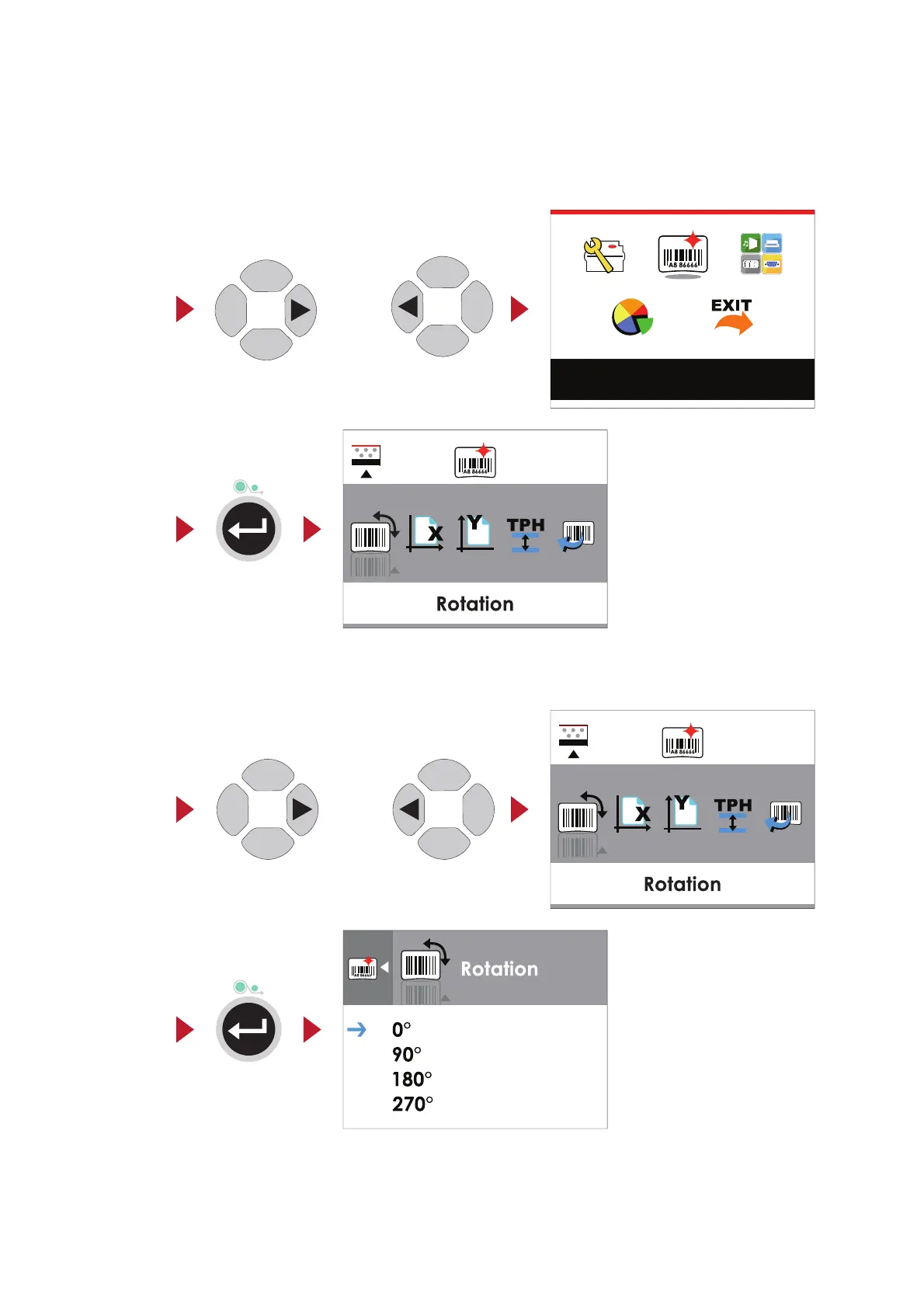
On the MAIN MENU page, press the
4
or
3
button to move the cursor.
Highlight a selection and press the FEED button, you will then enter the SETTING PAGES for that selection.
or
Select
Enter
On the SETTING PAGES, press the
4
or
3
buttons to move the cursor.
Highlight a function and press FEED button, you will then enter the SETTING VALUE PAGES for that function.
or
Select
Enter
16
Label Settings
3 Printer Settings and Control



 To Next Page