1. Get to Know Your THINK City
115
Open/Close/Lock System
Keys and Lock Systems
!
CAUTION
Keep the keys in a safe place and out of reach of children.
Children could accidentally open the vehicle and injure
themselves or others or cause damage to the vehicle.
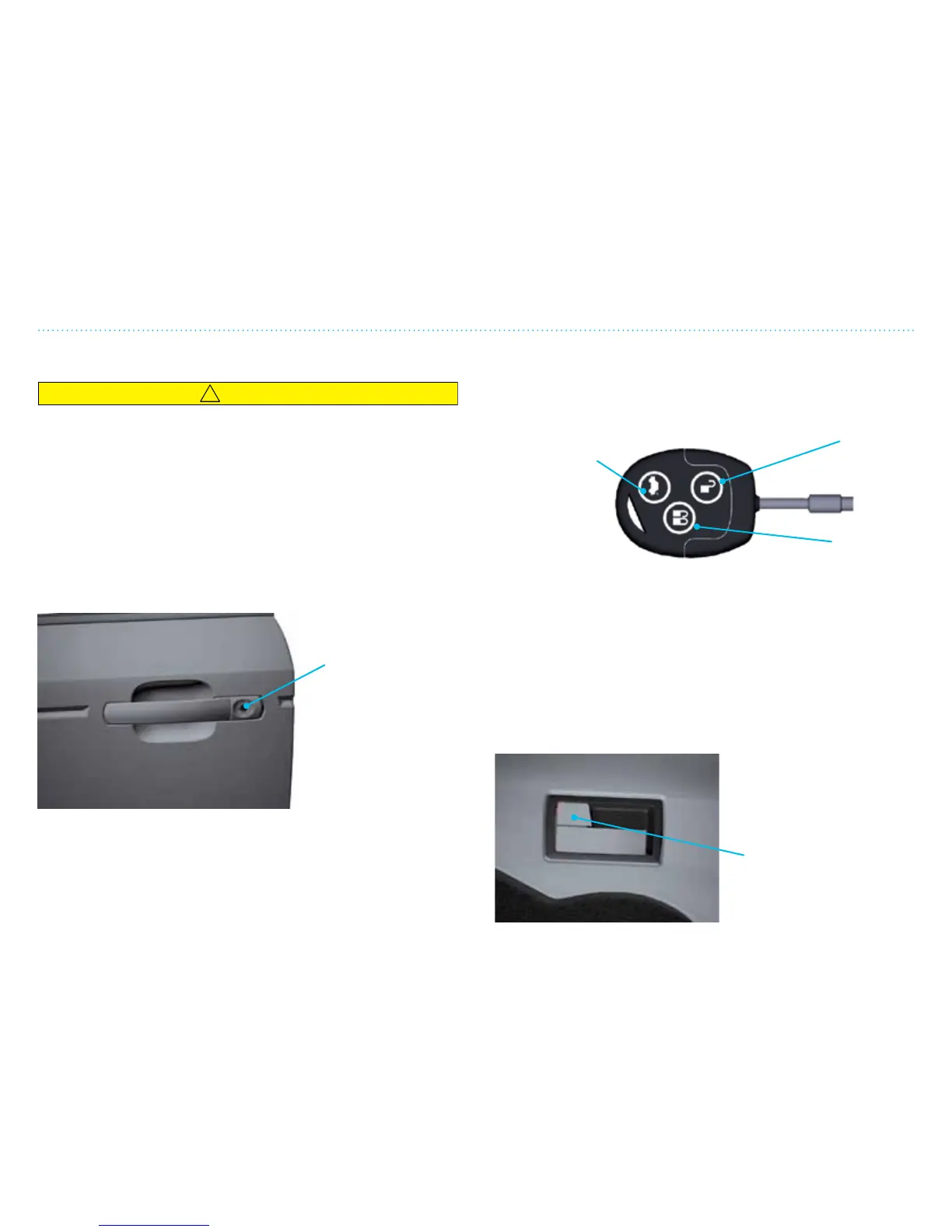
THINK City is equipped with two remote control key fobs. The
vehicle can be opened manually with the keys (only on driver
side) if the remote control does not work.
THINK City is equipped with an advanced starter lock system.
The vehicle can only be started with these coded keys (see
Chapter 2).
Manual open/lock
with key (only
on driver side).
Activate central
locking device.
Key Fob
Both key fobs are equipped with a remote control to lock or
unlock the vehicle. Push the desired function on the key fob.
NOTE: If the open button on the key is pressed and none of
the doors are opened or the ignition is not activated within 45
seconds, the central locking device will automatically lock the
doors.
Change Key Fob Battery
See “Service and Maintenance”, page 519.
Central Locking Device
THINK City is equipped with a central locking device to lock all
the doors with the interior
door lock on the driver side
or on the key fob.
Opens rear
hatch
(push twice)
Unlocks
side doors
Interior door lock
(activates central
locking device)
Locks side
doors


 To Next Page