2. Overview of Instruments and Controls
213
Start-up Locking System, Steering Wheel and Parking Brake
Start-up Locking System, Steering Wheel and Parking Brake
!
WARNING
Never adjust the steering wheel column while the vehicle is
in motion! Doing so may result in loss of vehicle control and
possible injury or death in the event of a collision.
THINK City is equipped with start-up locking system which is
an advanced the protection feature. The keys are coded for
each individual vehicle, and only the exact keys can be used to
start it. If you lose the keys or they are stolen, you must contact
your dealer to code new keys.
If there are large metal objects, electronic devices or other keys
kept on the same key ring, this could cause start-up diculties.
Make sure none of these items are touching the vehicle key
when you start the motor. These objects will not damage the
key but can cause problems during start-up if they are too close
to it. If you experience diculty starting up, turn the key to o
position, and hold these objects away from the key and start
the vehicle again. Be sure that your ignition key is an original
THINK City key.
Reserve keys can be bought at your dealer who can code them
for the locking system.
If one or both keys are lost or stolen, you must take the vehicle
and key(s) to the dealer for re-coding.
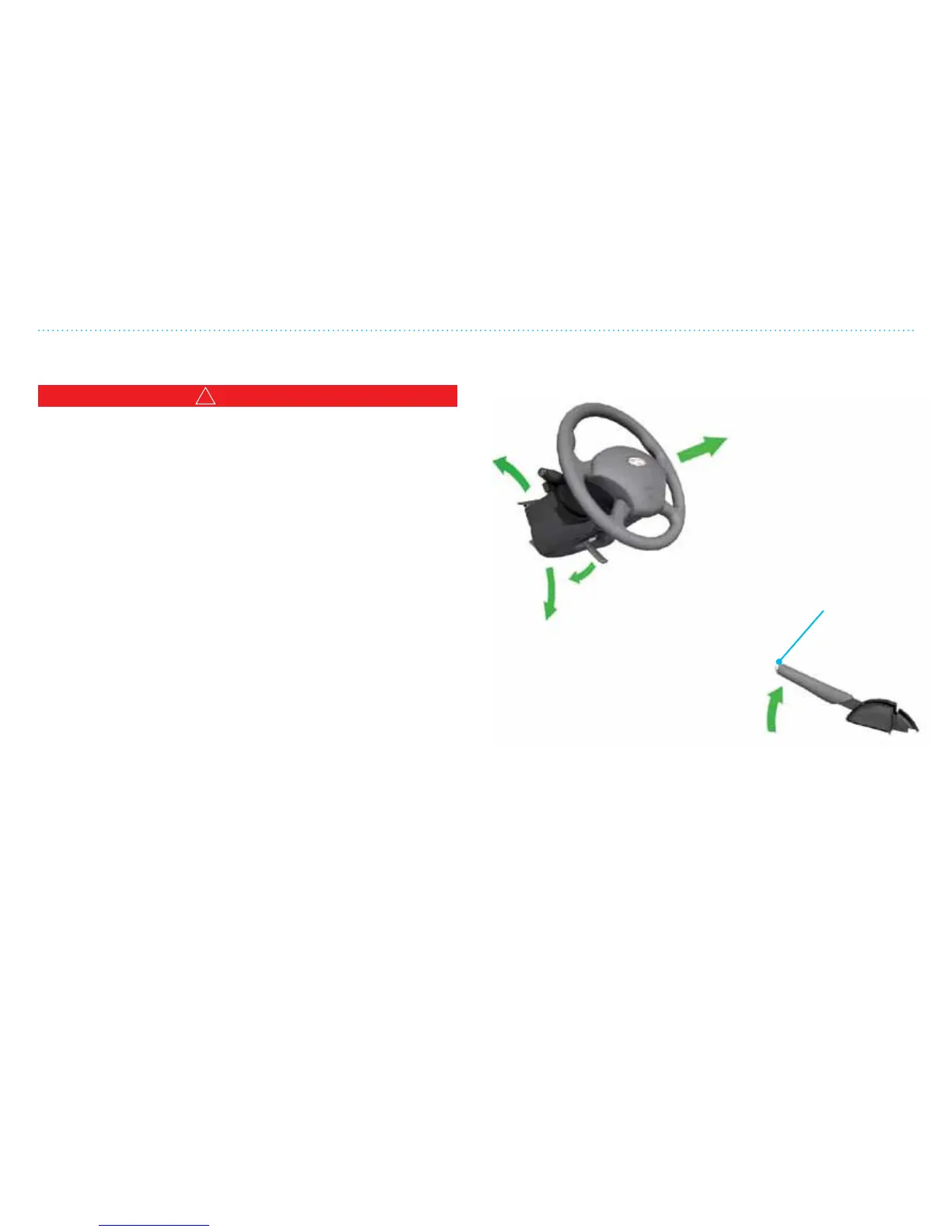
Steering Wheel and Parking Brake
Up
Down
Closer (if equipped)
Release the lock
Parking
brake on
The parking brake works on the back wheels. Always use the
parking brake when you leave the vehicle.
Handle for steering
wheel adjustment. Pull
the handle down to
release the steering
wheel. Move steering
wheel up or down with
both hands. Move the
handle back to the
locked position before
you drive!
Release button.
Pull the parking
brake up a bit as you
push in the release
button at the end.



 To Next Page