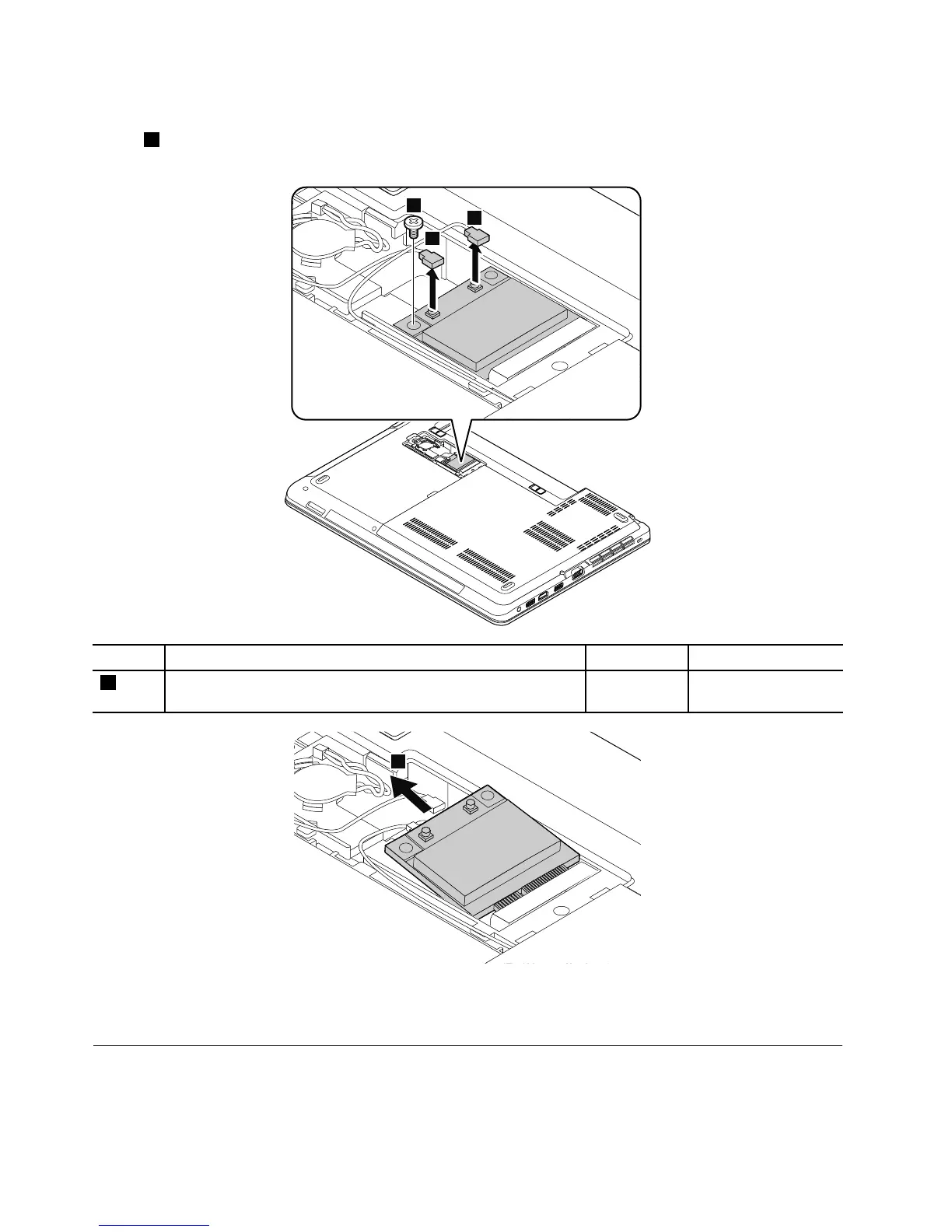
Removalstepsofthewireless-LAN/Bluetoothcard
Instep1,unplugtheconnectorsbyusingtheantennaRFconnectorremovaltoolorpicktheconnectors
withyourngersandgentlyunplugthemasshown.
Wheninstalling:PlugthegraycableintotheconnectormarkedMAINorM,andtheblackcableintothe
connectormarkedAUXorAonthecard.
1100Coin-cellbattery
Foraccess,removetheseFRUsinorder:
•“1020Batterypack”onpage65
74HardwareMaintenanceManual



 To Next Page