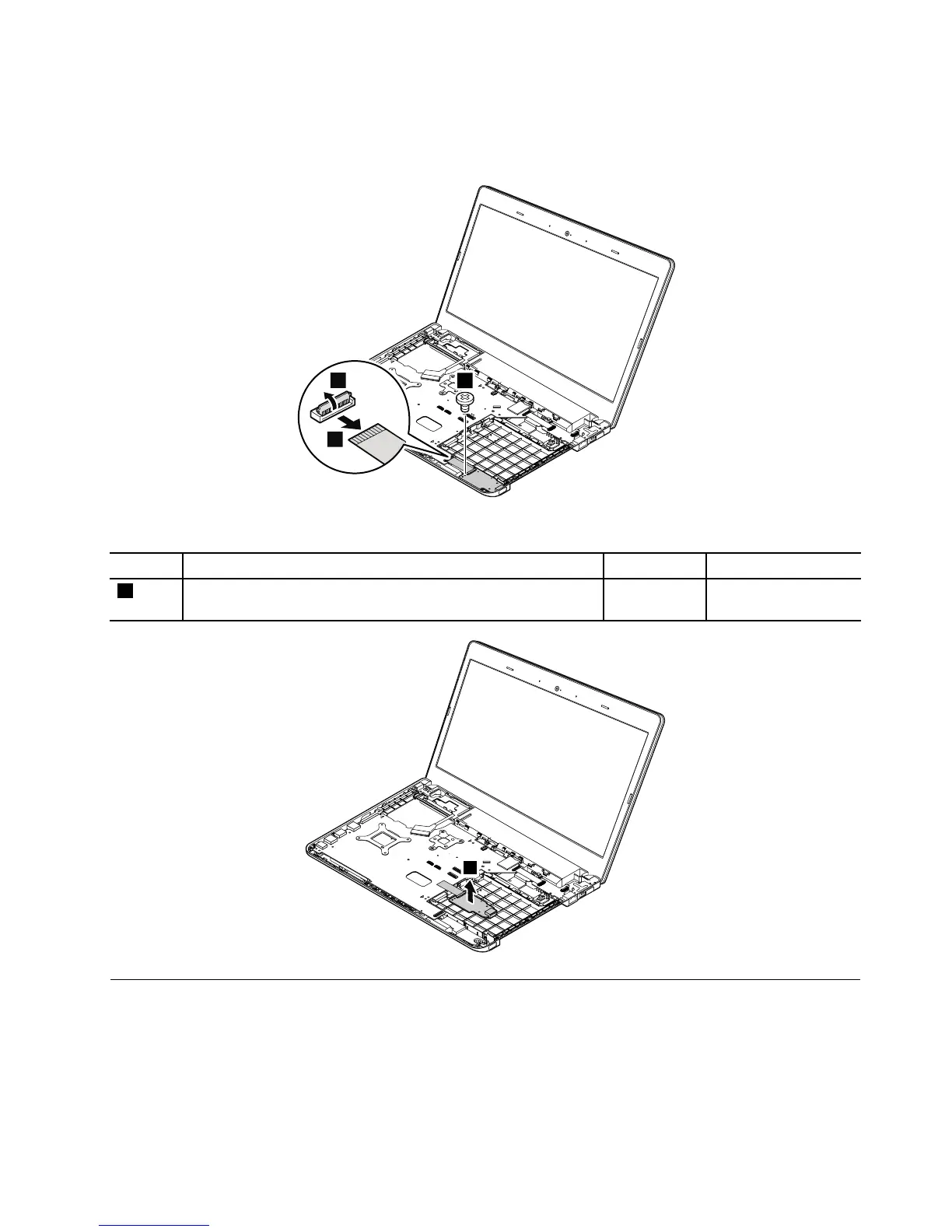
RemovalstepsoftheMedia-card-reader/USBcard
Note:Thesystemboardofthecomputerthatyouareservicingmightbedifferentfromtheoneinthe
followingillustrations.
Wheninstalling:Ensurethattheconnectorisattachedrmlytothesystemboard.
StepScrew(quantity)Color
Torque
3
M2×3.5mm,wafer-head,nylon-coated(1)
Black0.181Nm
(1.85kgf-cm)
1170dc-in/Ethenetcardbracketanddc-in/Ethenetcard
Foraccess,removetheseFRUsinorder:
•“1010Lenovo-OneLink-connectorcover”onpage65
•“1020Batterypack”onpage65
•“1030Largebottomcover”onpage66
•“1050Opticaldriveoroptical-drivebaybezel”onpage68
•“1070Harddiskdrivewithbracketorsolid-statedrivewithbracket”onpage69
Chapter9.RemovingorreplacingaFRU91



 To Next Page