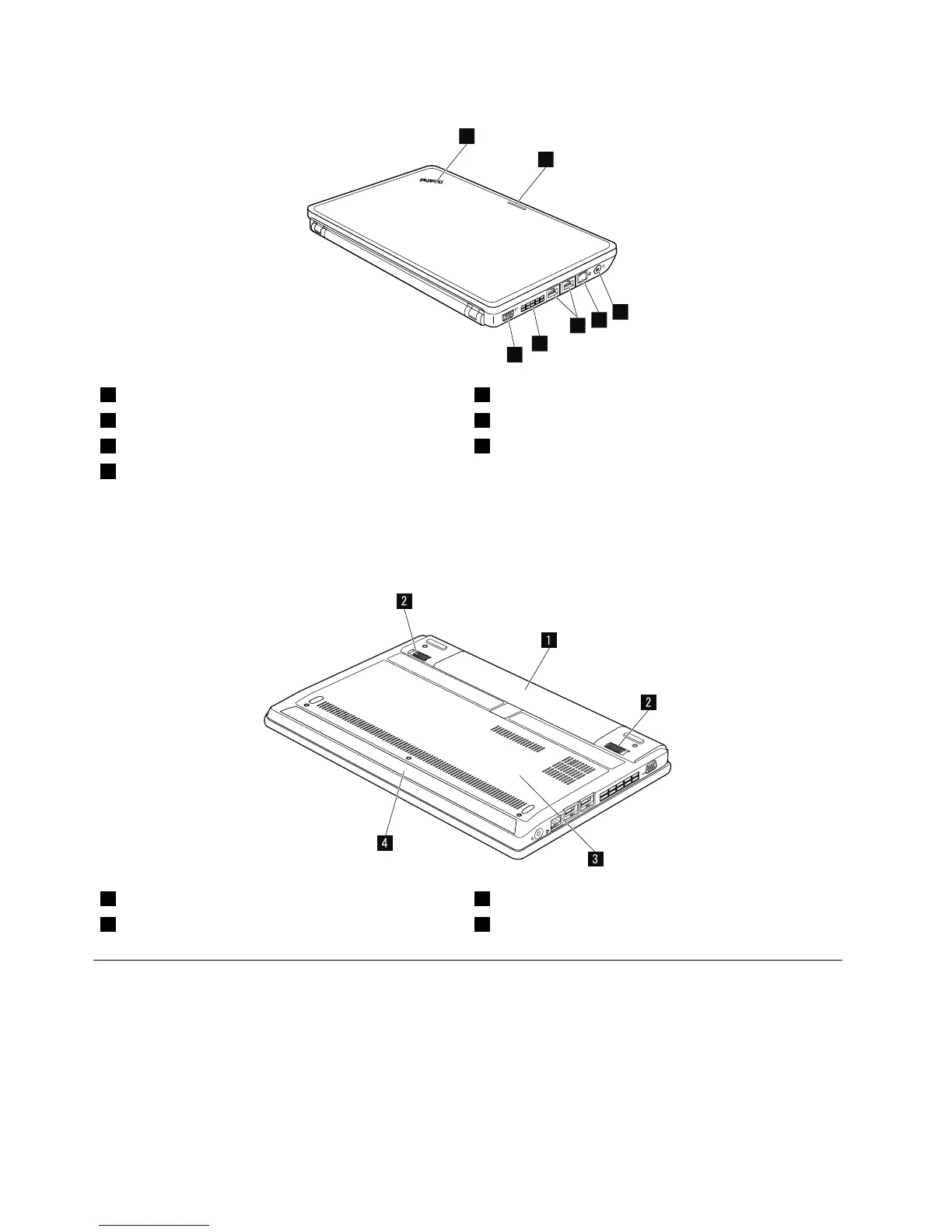
1Systemstatusindicator5USB3.0connectors
2Wirelessstatusindicator6Fanlouver
3Comboaudioconnector7Videographicsarray(VGA)connector
4RJ45Ethernetconnector
Forthedescriptionofthesystemstatusindicatorandthewirelessstatusindicator,seeChapter5“Status
indicators”onpage39.
Bottomview
1Batterypack3Bottomslotcover
2Batterypacklatches
4Speaker
LocatingFRUsandCRUs
Thistopicintroducesthefollowingserviceparts:
•“MajorFRUsandCRUs”onpage46
•“LCDFRUsandCRUs”onpage48
Notes:
•EachFRUisavailableforalltypesormodels,unlessotherwisespecied.
44HardwareMaintenanceManual



 To Next Page