StepScrew(quantity)Color
Torque
3
M2×5mm,wafer-head,nylon-coated(3)
Black0.181Nm
(1.85kgf-cm)
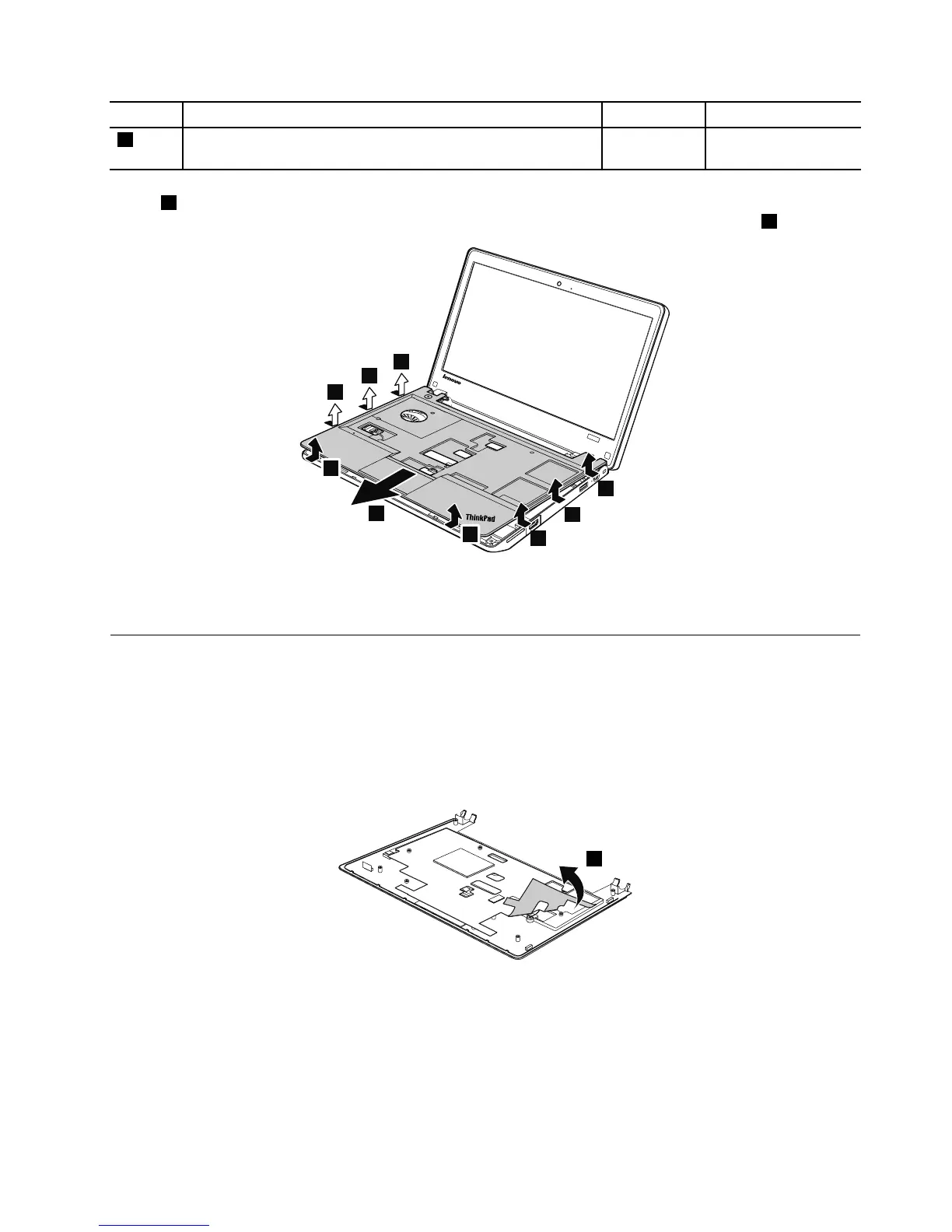
Instep7,releasethekeyboardbezelassemblyfromtheframeasshowninthefollowingillustrationusinga
plasticprytool,andremovethekeyboardbezelassemblyinthedirectionshownbythearrow8.
Wheninstalling:Ensurethatalltheprojectionsofthekeyboardbezelassemblyareattachedrmlytothe
guideholesofthebasecover.
1090Microphone
Foraccess,removetheseFRUsinorder:
•“1010Batterypack”onpage56
•“1020Bottomslotcover”onpage57
•“1070Keyboard”onpage64
•“1080Keyboardbezelassembly”onpage67
Removalstepsofmicrophone



 To Next Page