3-1-3. Video List
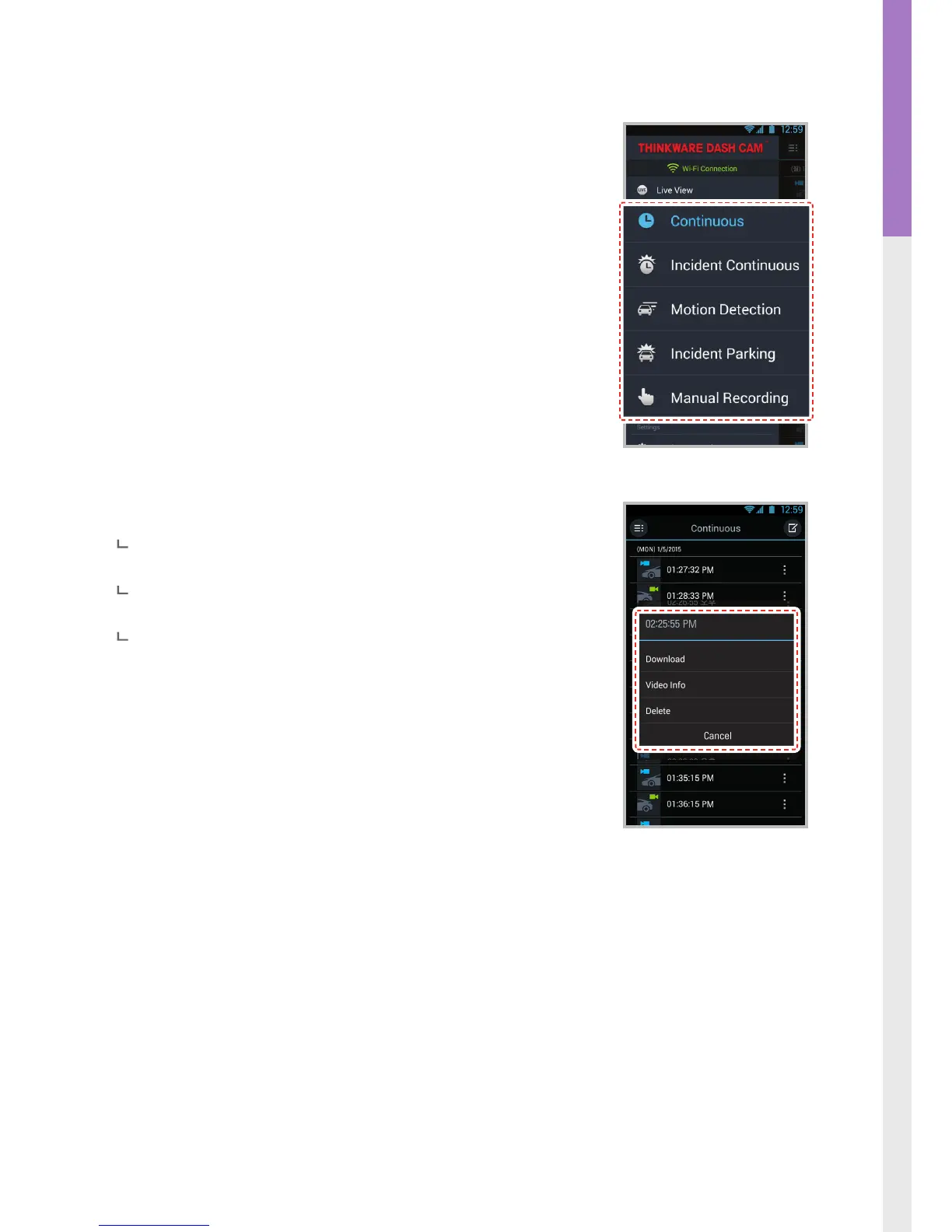
Continuous Recording : Lists loop recording videos during continuous mode
(in 1 minute segments)
Incident in Continuous Mode
: Lists incident recording videos during contin-
uous mode
Motion in Parking Mode
: Lists motion detection recording videos during
parking surveillance mode
Incident in Parking Mode
: Lists incident recording videos during parking
surveillance mode
Manual Recording
: Lists manual recording videos initiated by selecting man-
ual recording button
Recording List Menu
Download : Copies selected video le to the device from the dash cam
MicroSD card (Wi-Fi must be connected)
Video Info : Displays date/time, le name, recording type, size, duration,
video quality for the selected video le
Delete : Removes the selected video le



 To Next Page