24
Video Playback
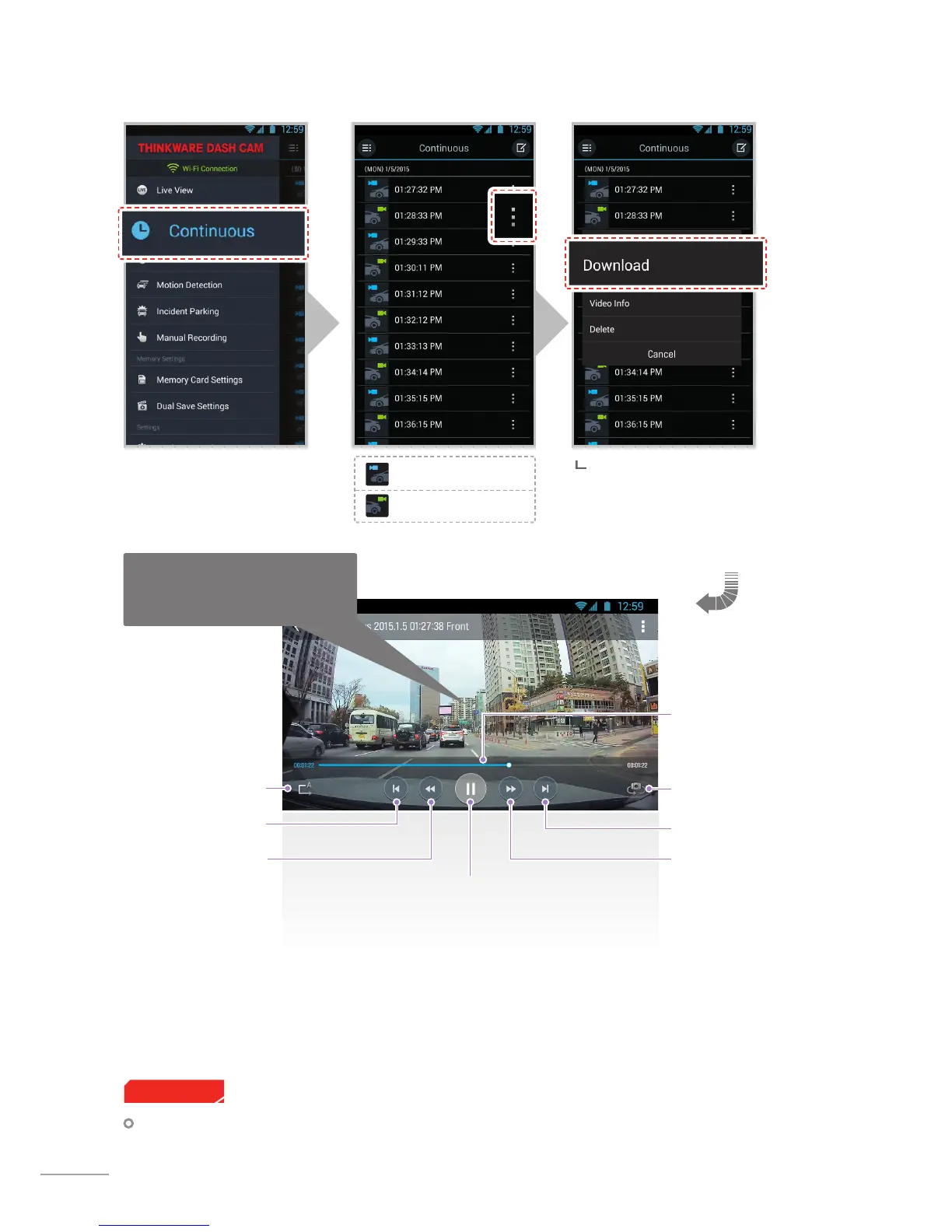
Rear view videos
Front view videos
Switch between front/
rear view
Video playback
progress bar
Next
Play/Pause
Rewind 10 seconds
(tap and hold
for continuous rewind by 10
seconds)
Auto loop
Previous
Fastforward10
seconds
(tap and hold for contin-
uousfast forward by 10
seconds)
Zoom in/out to expand video up to
200% (commonly supported on the
device with pinch in/out gestures)
When "Download" is selected from
the menu, all selected videos located
at 'internal memory > Thinkware
Dashcam' folder from the device will
be downloaded.
For Android OS devices, it may take a while until downloaded videos are displayed in the list.
Cautions



 To Next Page