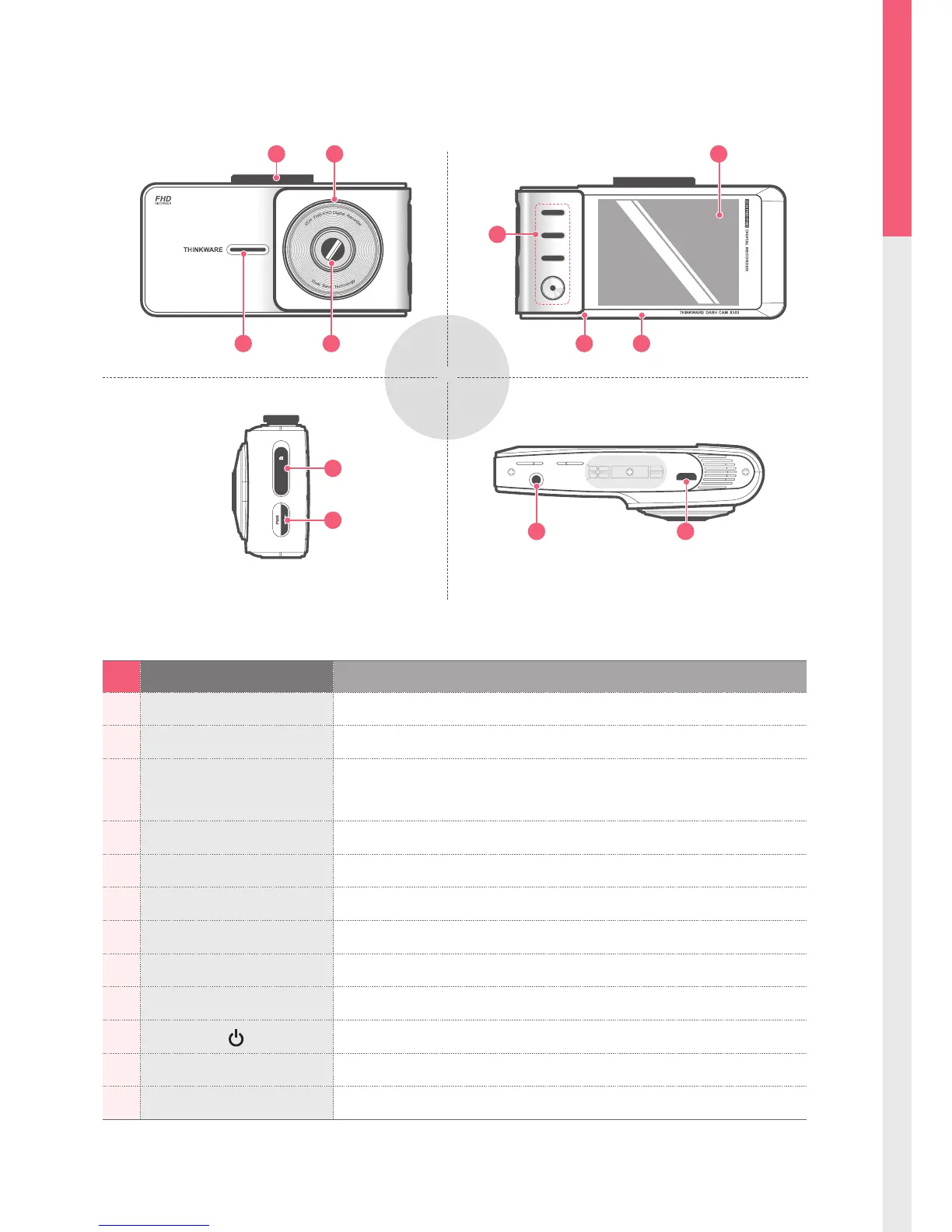
No. Name Description
1 Camera Lens Front facing camera for video recording
2 Mount Connector Connects to the windshield mount
3 Security LED
Operation indicator lights that are used to visually indicate that the
vehicle is equipped with a dash cam
4 Speaker For voice guidance and alert/notication sounds
5 Reset Press to force the device to restart
6 Microphone Records audio along with video
7 LCD Screen Provides Live View, video playback, and access to dash cam conguration
8 Control Buttons Control Buttons to navigate through user menu on the screen
9 Memory Card Slot Location for the memory card
10
Power Button
Press and hold for 3 seconds to turn the device on/o
11 DC-IN Connects to power cable
12 V-IN Socket Connects to rear view camera.
1-2. Product Overview



 To Next Page