6
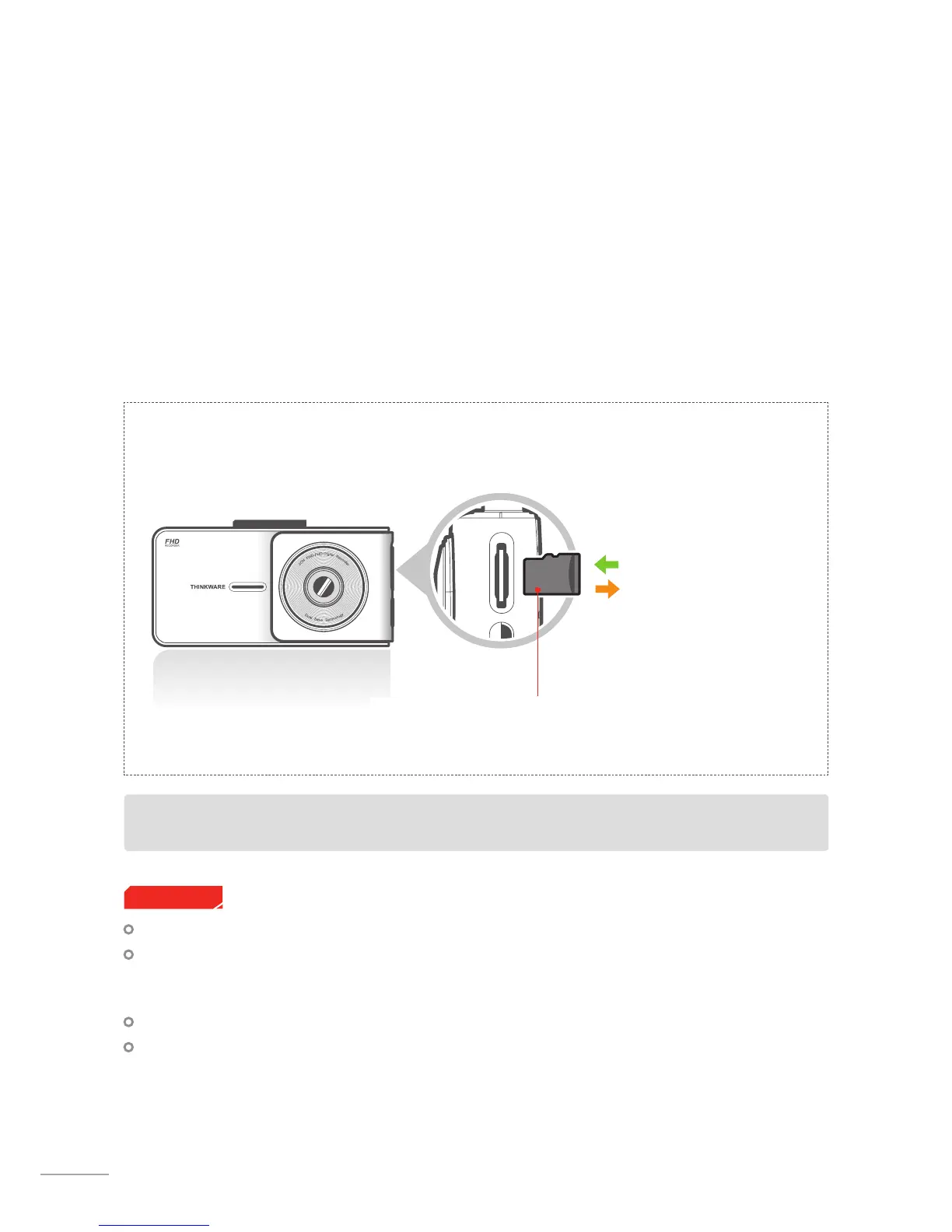
1-3-2. Installing a MicroSD Card
Do not apply excessive force on the MicroSD card or attempt to insert it in the wrong direction as it may
cause damage to the memory card.
Inserting the memory card
Open the slot cover and insert the
MicroSD card into the slot with
the metal contact facing the front
side of the unit, and push until the
memory card locks into place.
Removing the memory card
Press the end of the MicroSD card
until it clicks out from the slot. Pull
out the MicroSD card and close
the slot cover.
MicroSD card
1-3. Inserting a Memory Card
1-3-1. About Memory Cards
This X500 bundle comes with a Thinkware UHS 32GB MicroSD card.
UHS MicroSD card must be used with a storage capacity of 16, 32, or 64GB. A minimum of 16GB is strongly
recommended for Full HD recording.
The MicroSD card should be formatted every 2 weeks to maximize the lifetime of the memory card.
The MicroSD card is a consumable item and should be replaced periodically.
THINKWARE is NOT responsible for any issues and / or damages that may occur from not using genuine
or authorized parts and accessories. It is strongly recommended that only THINKWARE memory cards are
used to minimize card error.
Ensure that the device is completely o before removing the memory card to avoid loss of data.
To prevent loss of important data, it is recommended that recorded footage from the MicroSD card is cop-
ied to other storage devices for back up purposes.
Cautions
Device only supports MicroSDUHS-I card with capacity of 16GB or higher



 To Next Page