11
2. Installing the product
2.1 Installing the front camera (main unit)
Follow the instructions to properly install the product.
2.1.1 Selecting an installation location
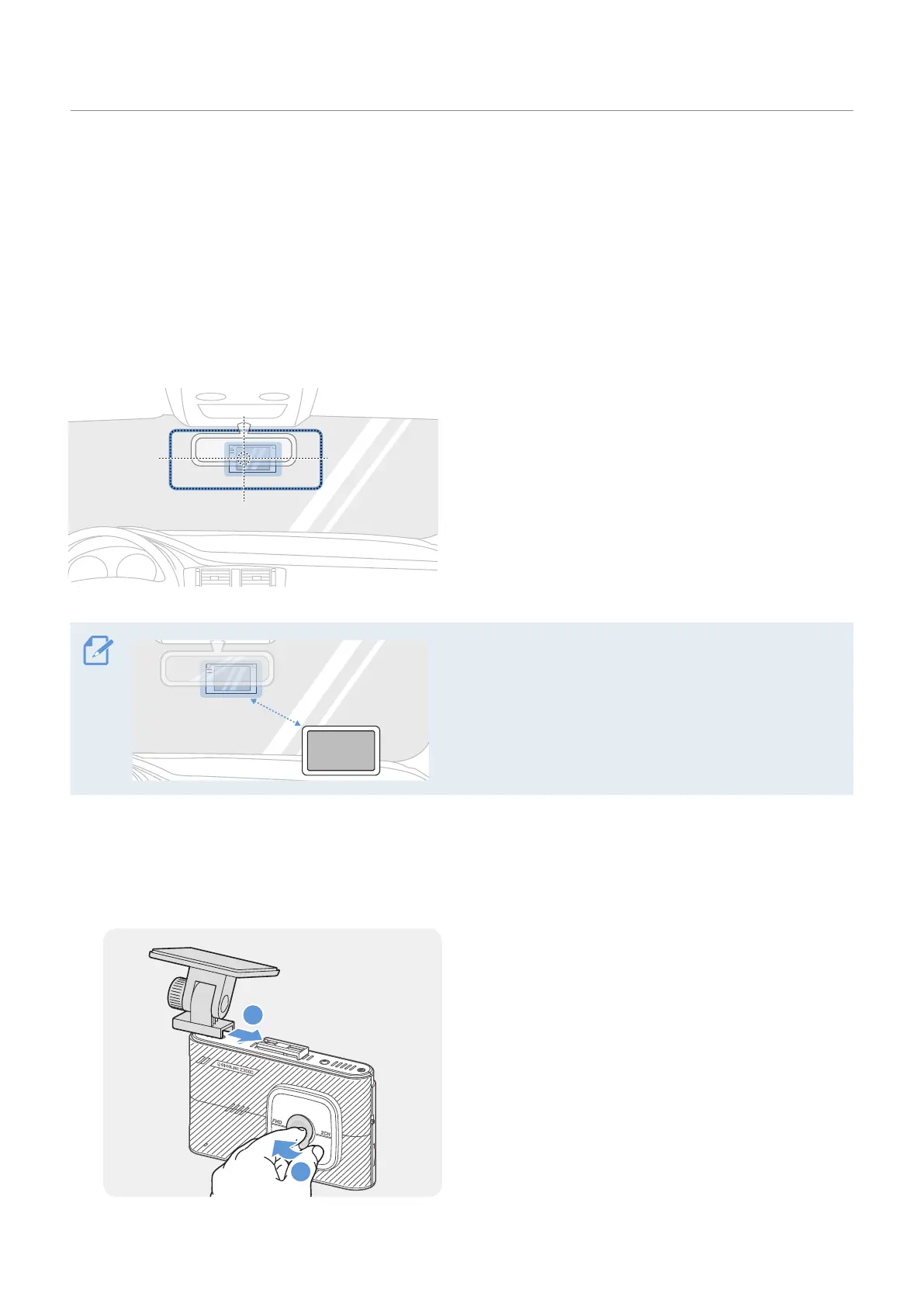
Select an installation location that can record the
entire view in front of the vehicle without obstructive
the driver’s vision. Ensure that the front camera lens
is located in the center of the windshield.
If a GPS navigating device installed on the dashboard is
present, its GPS reception may be affected depending
on the dashboard camera's installation location.
Adjust the installation location of the GPS navigating
device to ensure that the two devices are separated by
at least 8 inches.
2.1.2 Securing the product
Follow the instructions to secure the product at the installation location.
1
2
Align the mount to the mount connector on the
product, and then slide it until you hear a click (
➊
).
Then, carefully remove the protective film keeping
the lens clean (
➋
).
2
1
20 cm


 To Next Page