Installing the product
15
3
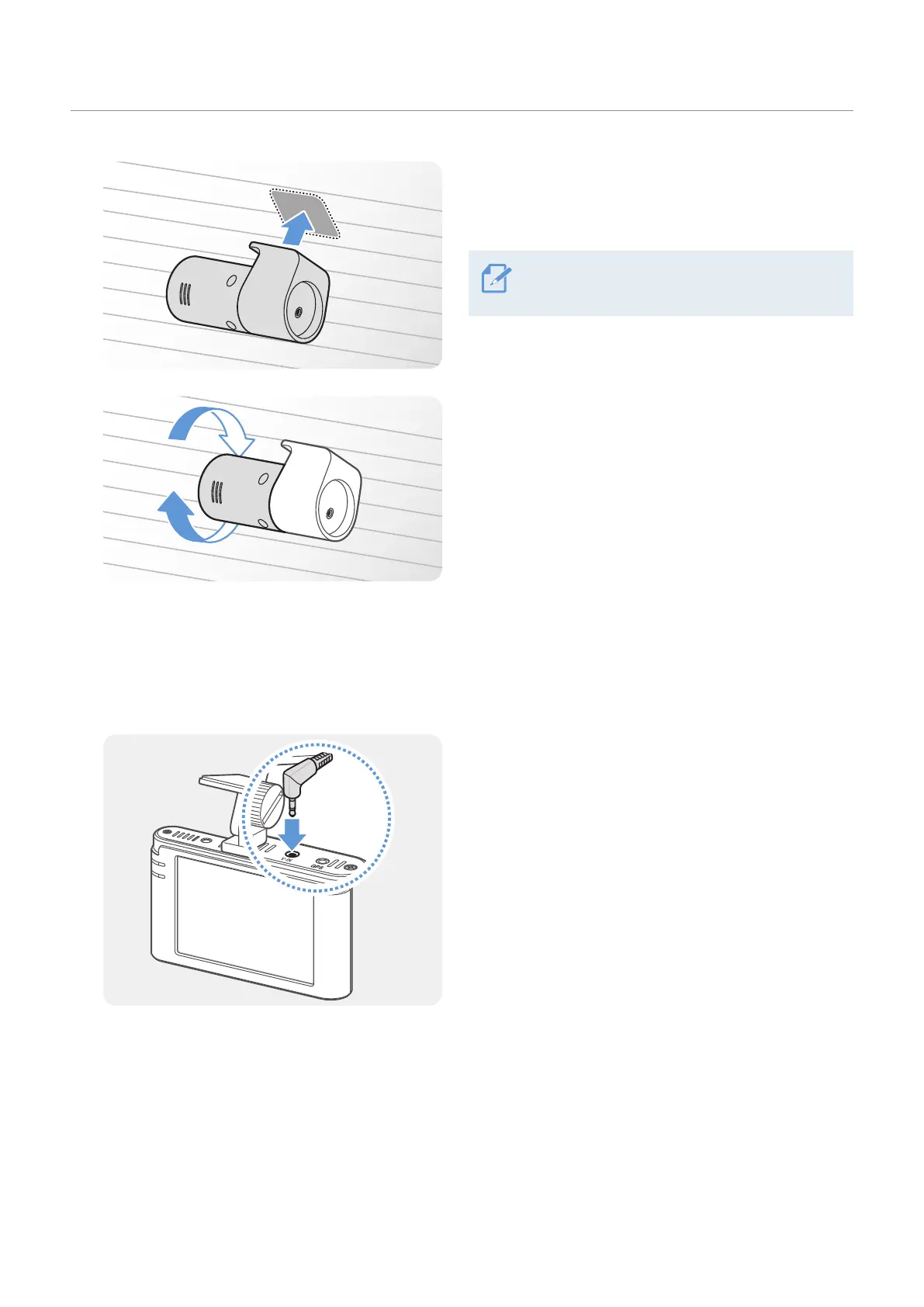
Attach the product with the THINKWARE logo facing
the interior of the vehicle and press the adhesive
tape firmly to secure the camera.
If the product is fixed in reverse, the rear view
will be recorded upside down.
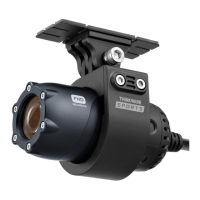
4
Adjust the camera's vertical angle.
2.2.3 Connecting the rear camera cable
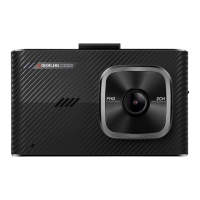
Power off the product and connect the rear camera cable to the front camera (main unit).
1
Connect one end of the rear camera cable to the
front camera’s V-IN connector.


 To Next Page