24
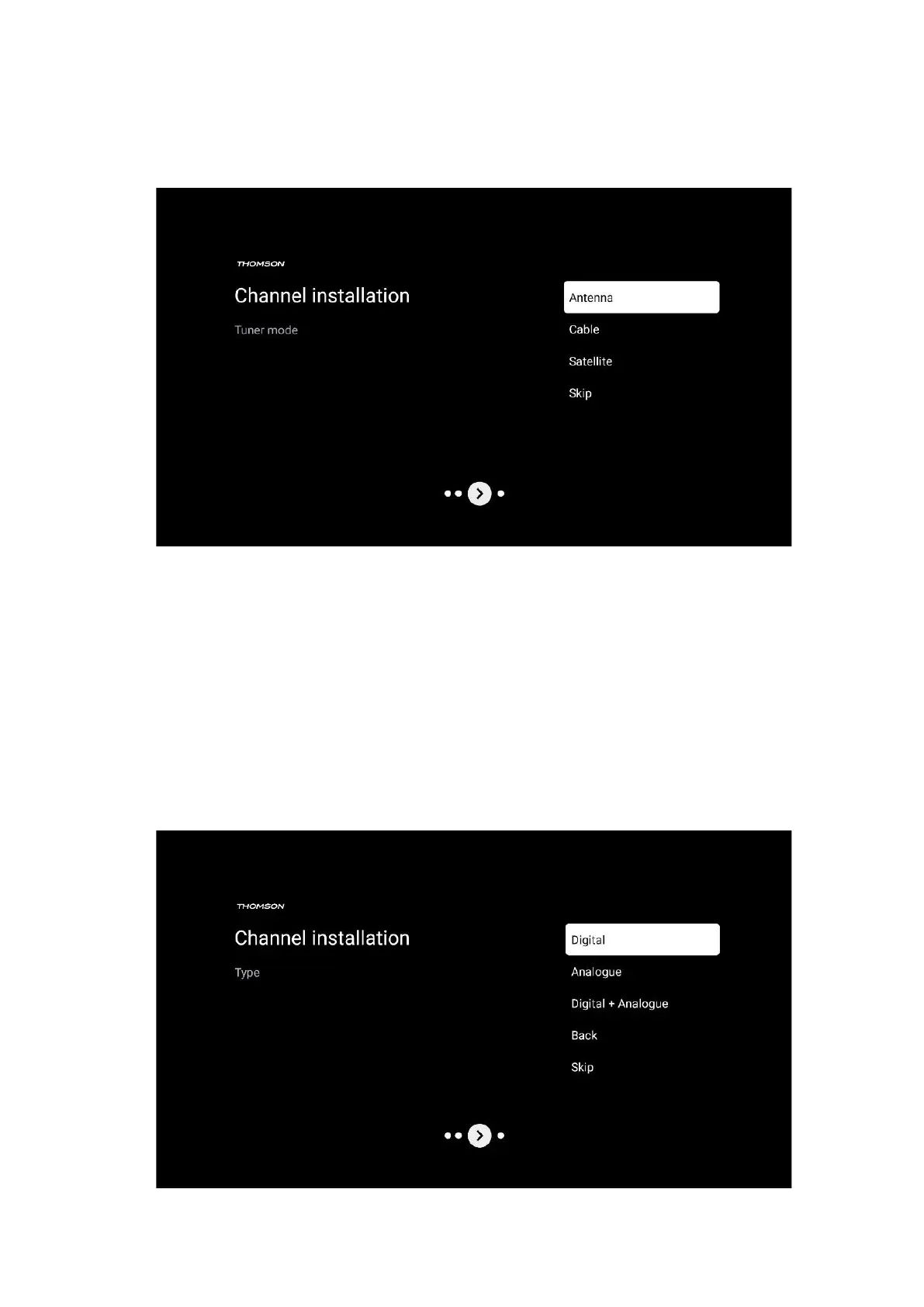
If you select Skip scan, you can finish the first installation process of the TV without installing the
TV channels. You can subsequently install the TV channels in the TV Settings Menu.
7.1 Tuner mode
7.1.1 Antenna
If the Antenna option is selected, the TV will search for digital terrestrial and analogue
broadcasts. On the next screen highlight the Scan option and press OK to start the search or
select Skip Scan to continue without performing a search.
Operator Scan: If available, the available cable operators will be listed on the screen. Highlight
the desired operator and press OK. Select Start and press OK to perform the channel scan.


 To Next Page