58
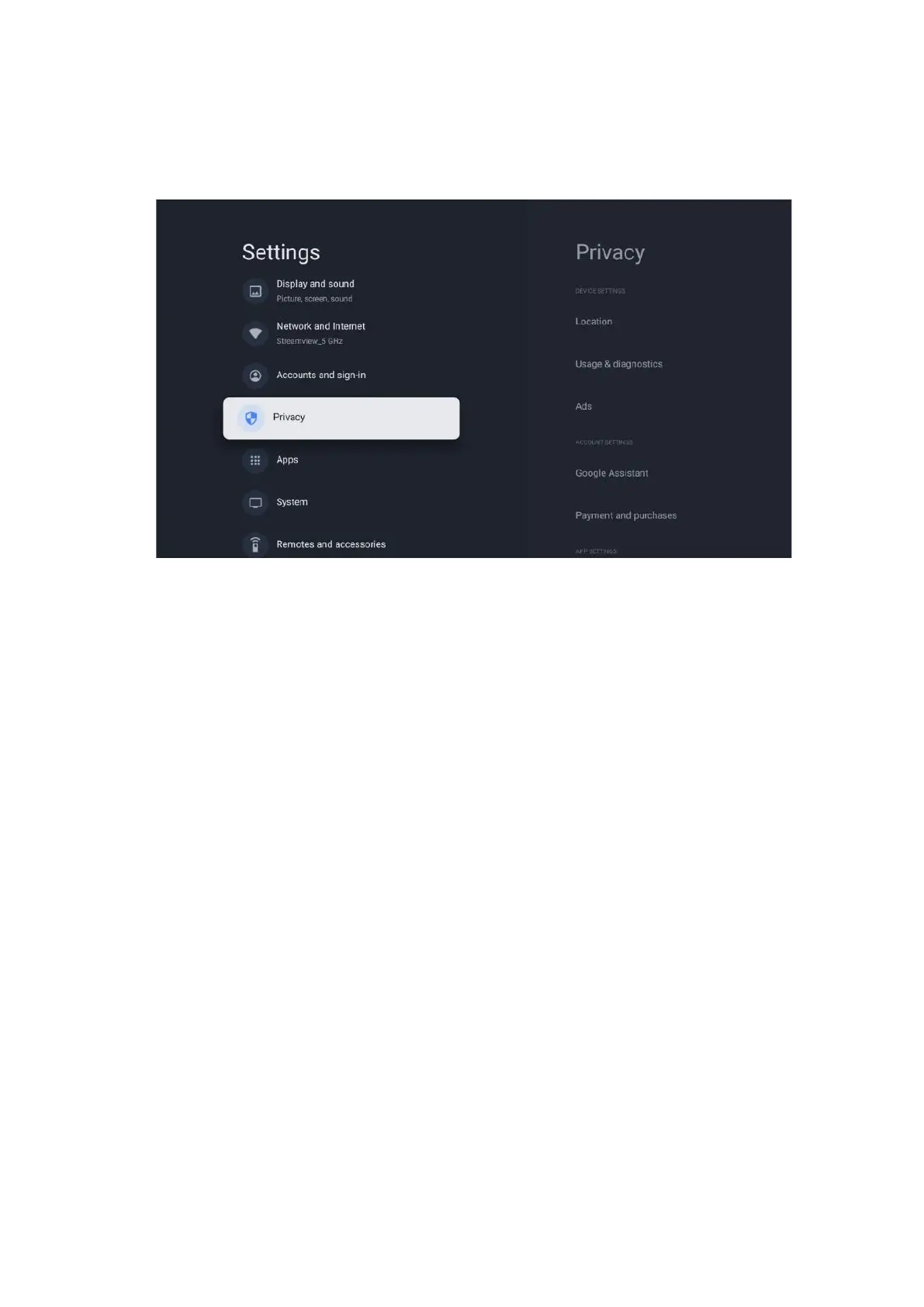
10.6 Privacy
Change and adjust your privacy settings and app permissions.
Device settings:
• Location: Select whether Google may collect location data according to your Wi-Fi. It is
important that you provide Google with your location because the installation of many
applications depends on the Geo-location. Installation of certain streaming applications,
especially those that stream TV broadcast channels, is only possible according to Geo-
location rules.
• Usage & diagnostic: Automatically send diagnostic information to Google.
• Ads: Select whether Google is allowed to collect usage data and diagnostics and
promote personalized ads to you.
Account settings:
• Google Assistant: Select your active account, view permissions, select which applications
should be included in the search results, activate the secure search filter and view the
open-source licences.
• Payment and purchases: Setup Google Payment and Purchase settings.
App settings:
• Special app access: Select which apps can have access to your information and have
special access.
• Security and restrictions: You can use the options in this menu to allow or restrict the
installation of apps from sources other than the Google Play Store. Set the options so
that your TV does not allow or warns against the installation of apps that could cause
serious issues.


 To Next Page