74
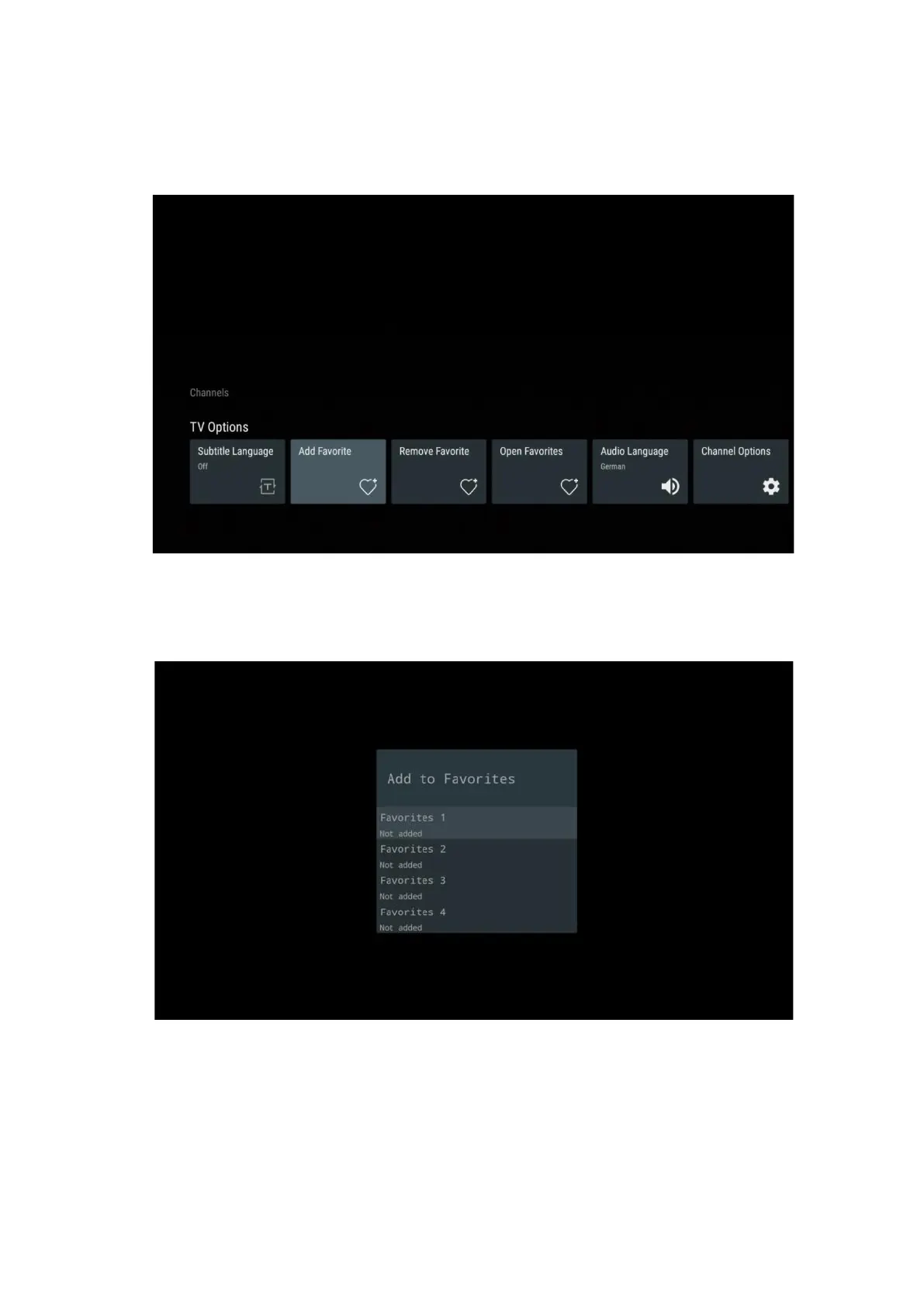
11.2.2 Add Favorite
Create favorite lists and add your preferred channels to it.
Note: You only have four favorite lists available. Select one of the lists and press the OK button
to add the current channel to the selected favorite list.
In Live TV mode, press the Left directional button to display the TV channel lists broadcast
sources and favorite lists. Optionally select ATV, Cable, Antenna or Satellite to display available
stored TV channels. In the general list, favorite channels will be marked with a heart symbol.
If you only want to display the channels added to one of your favorite lists, select one you have
already created.


 To Next Page