Receiver Descrambler - User Manual (release 7.3.1)
5.10 About
Under the tab, there are no user definable parameters but there is information about how to contact
THOMSON, as well as information about the software versions on the unit, and which option cards are
installed.
5.11 Feature Licensing
The Web Client is the easiest way to upgrade the licensing on the unit. The following license is available for
the option
“Advanced Satellite Features” – allows multistream, VCM, 16APSK and 32APSK – NRD00S02AA
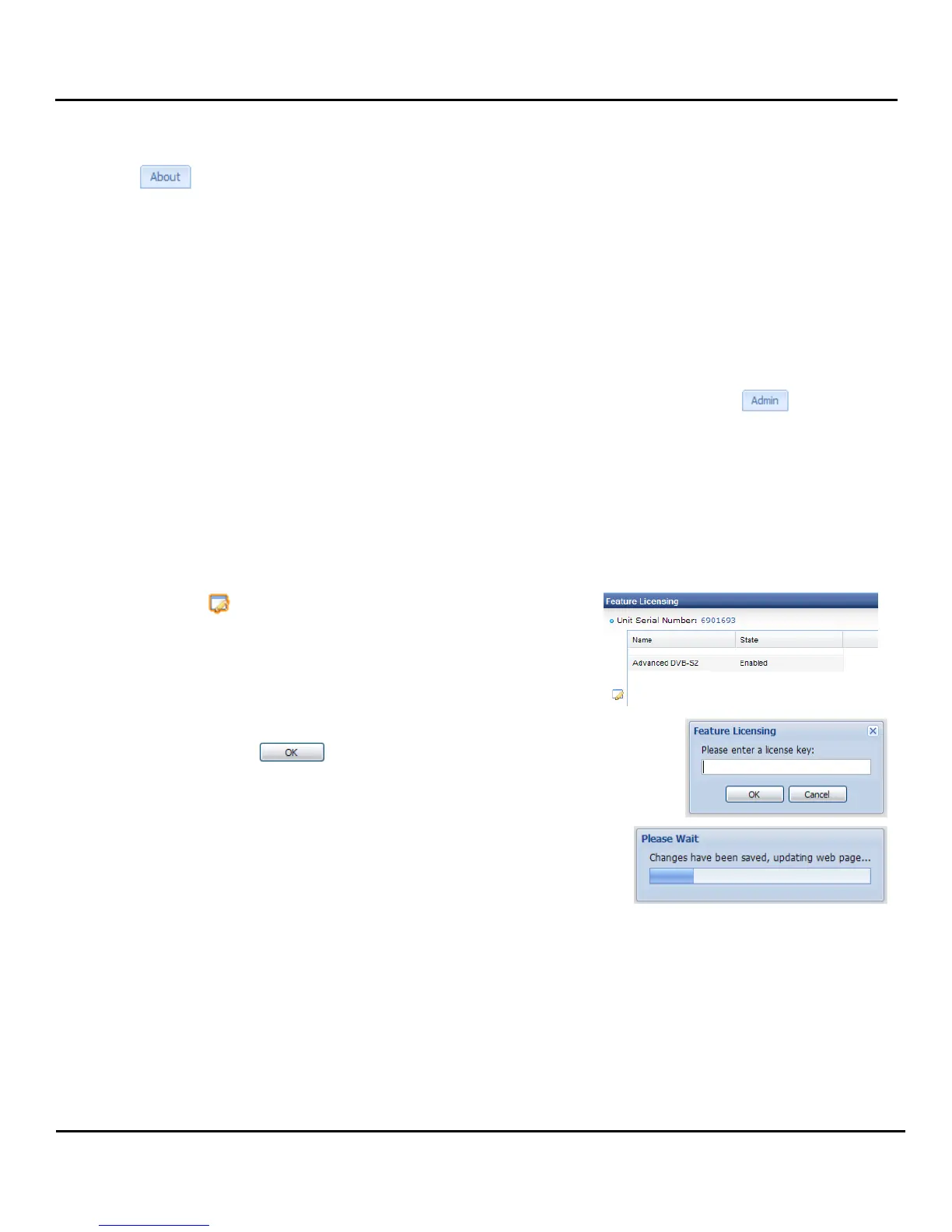
Simply login to the unit Remote Web Client as an administrator, and then click the tab. The first
section under this tab is “Feature Licensing”. The unit’s options determine the licenses that are applicable
to the unit, in the example “Advanced DVB-S2” is listed as well as “SCTE35/104” each followed by either
“Enabled” or “Disabled”. If all listed features are “Enabled” then you do not need to upgrade the licensing.
When a license is upgraded, the entire unit and all of the options that support the licensed features can
now support the additional feature capabilities.
Follow these steps to upgrade
1. Click on the button on the left under “Feature Licensing”.
2. Enter your newly acquired license key in the space provided,
and then press the button.
3. When the unit is finished saving the settings a reboot will be
required.



 To Next Page