Chapter 6
Troubleshooting
E-DOC-CTC-20050429-0103 v1.0
113
6.2 UPnP™ on Windows XP Systems
SpeedTouch™ not
detected by UPnP™ or
IGD Control Client
Check on following:
Make sure the UPnP™ and Internet Gateway Device Control Client Networking
components are added to your MS Windows XP system.
Your computer doesn’t support UPnP™ if you run an operating system other
than MS Windows XP and MS Windows Millennium.
Make sure that UPnP™ is not disabled in the SpeedTouch™ web page; see
“4.5.2 Game & Application Sharing” on page 69.
Adding UPnP™ If you are running Microsoft Windows XP, it is recommended to add the UPnP™
component to your system.
Proceed as follows:
1 On the Start menu, click (Settings >) Control Panel.
2 The Control Panel window appears. Click Add or Remove Programs.
3 In the Add or Remove Programs window appears, click Add/Remove
Windows Components.
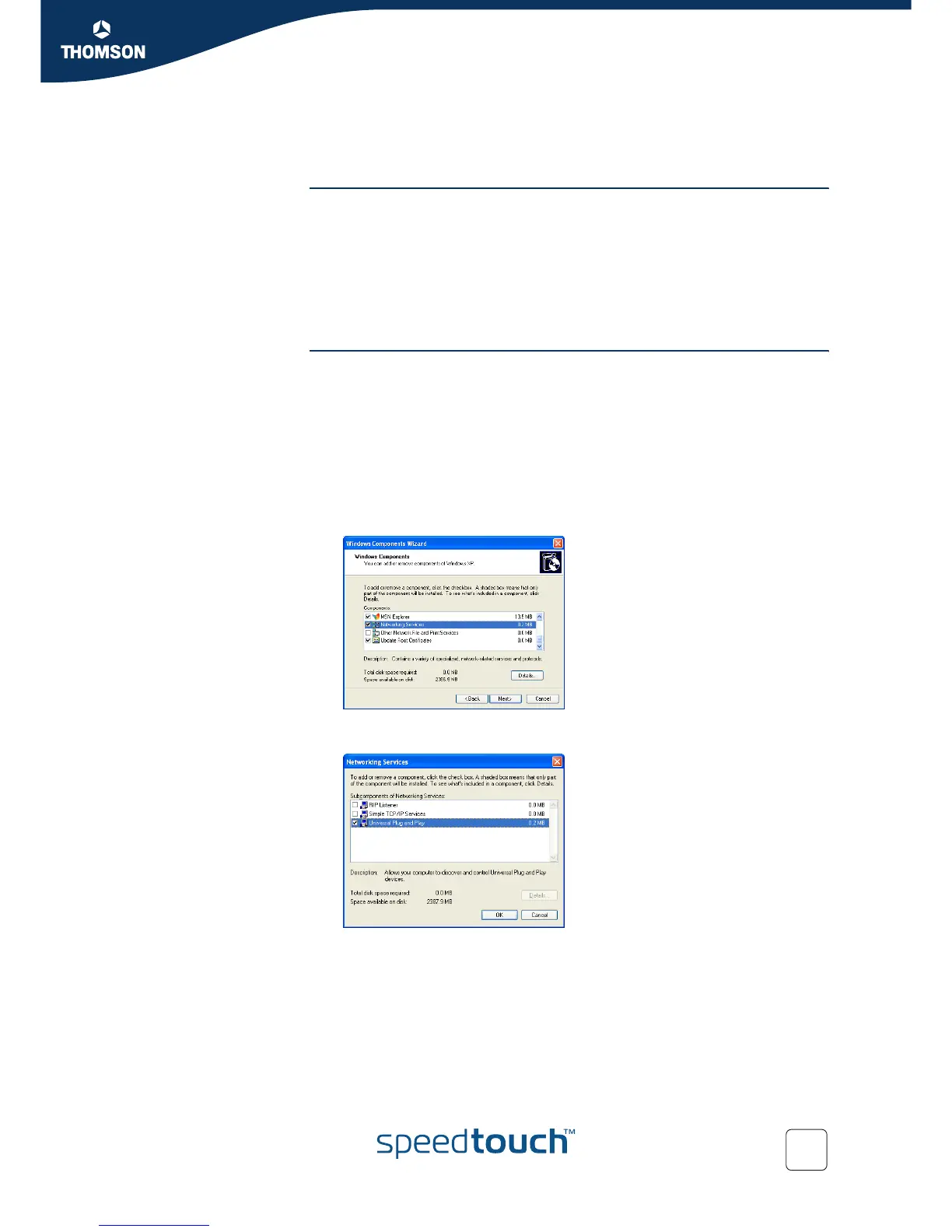
4 In the Windows Components Wizard, select Networking Services in the
Components list and click Details.
5 In the Networking Services window, select Universal Plug and Play or UPnP
User Interface and click OK.
6 Click Next to start the installation and follow the instructions in the Windows
Components Wizard.
7 At the end of the procedure the wizard prompts you that the installation was
successful. Click Finish to quit.















 To Next Page