Chapter 4
SpeedTouch™ Web Interface
E-DOC-CTC-20050429-0103 v1.0
71
4.5.4 Game or Application Definition
Accessing the Game or
Application Definition
page
Proceed as follows:
1 In the Toolbox menu, click Game & Application Sharing.
2 In the Pick a task... list, click Modify a game or application.
3 Click the name of the game or application you want to view/change.
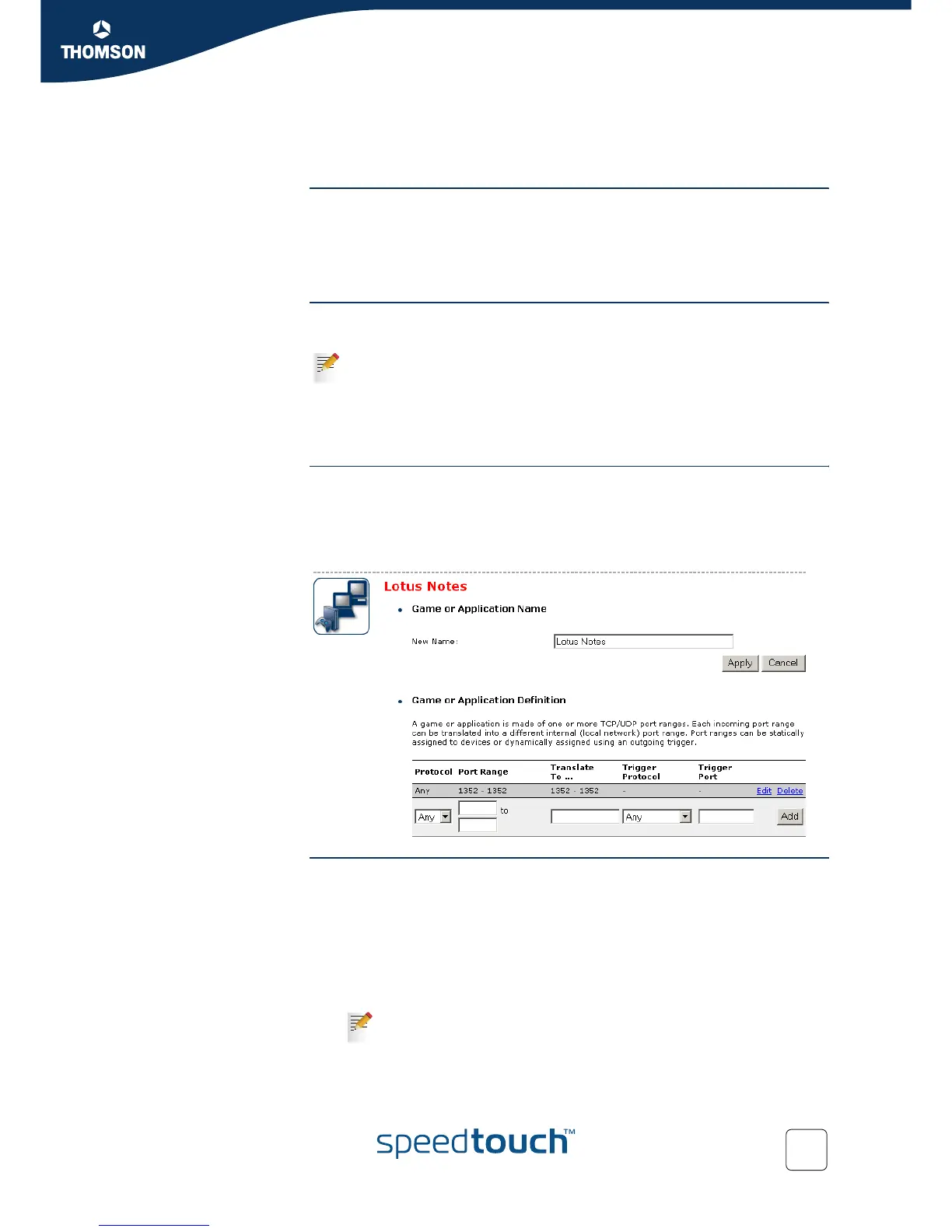
Overview This page gives you an overview of the port mappings used to allow this service or
game to be initiated from the Internet.
A service is made of one or more TCP/UDP port ranges. Each incoming port range
can be translated into a different internal (local network) port range. Port ranges can
be statically assigned to devices or dynamically assigned using an outgoing trigger.
Configure Under:
Game or Application Name you can:
Change the name of the game or application.
Game or Application Definition you can:
Change the TCP/UDP port definition for this game or application.
Adding a Port
Translation rule
Proceed as follows:
1 In the Protocol list, click the protocol the game or application uses.
2 In the Port Range box, type the port range the game or application uses.
3 In the Translate To... box, type the port range to which the SpeedTouch™ has to
translate the ports specified under Port Range.
4 If you want to make a dynamic translation rule you must specify a trigger
protocol and port.
5 Click Apply.
Consult the user’s guide or support pages of your application to know which
ports are being used by this application.
As soon as the SpeedTouch™ receives outgoing traffic on this trigger
port, it will activate this translation rule.















 To Next Page