Chapter 4
SpeedTouch™ Web Interface
E-DOC-CTC-20050429-0103 v1.0
68
4.5.1 Remote Assistance
Enabling Remote
Assistance
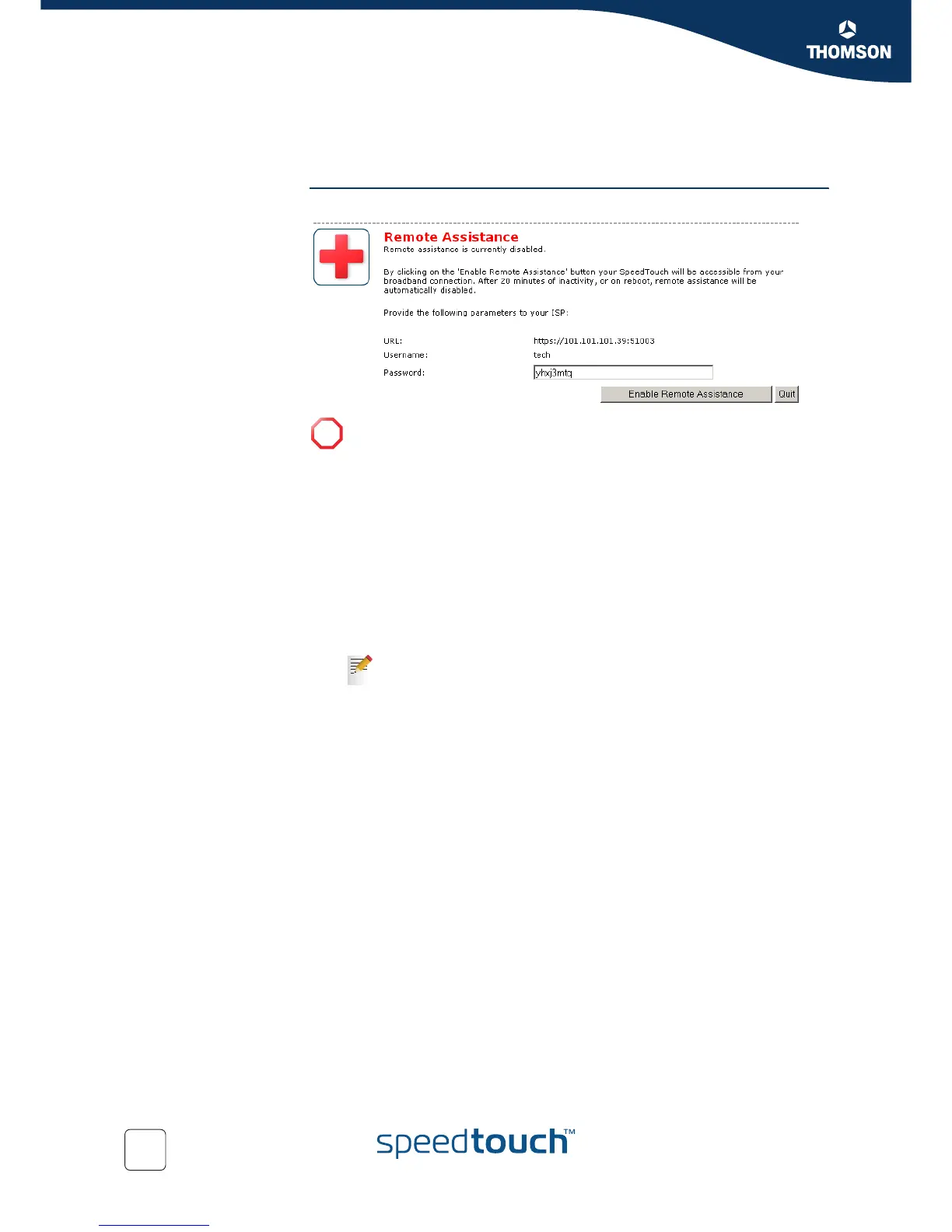
This page allows you to make your SpeedTouch™ accessible for remote support.
To use remote assistance:
1 If needed, type a password in the Password box.
2 Click Enable Remote Assistance.
3 Pass the information listed under:
URL
Username
Password
to your technical support, in order for them to be able to access your
SpeedTouch™.
4 The remote assistance session ends:
If the technical support disables remote assistance.
After 20 minutes of inactivity, or after a reboot, remote management.
!
You must be connected to the Internet to be able to enable remote
assistance.
Once the technical support is connected, no other connections are
possible.















 To Next Page