Chapter 2
Local Network Setup
E-DOC-CTC-20050429-0103 v1.0
32
Configuring WDS To configure your WDS on the web pages:
1 Go to the SpeedTouch™ web pages.
2 In the menu select Home Network.
3 Click your WLAN.
4 On the top right, click Configure.
5 On the Wireless Access Point page, in the Pick a task... list, click Configure
WDS.
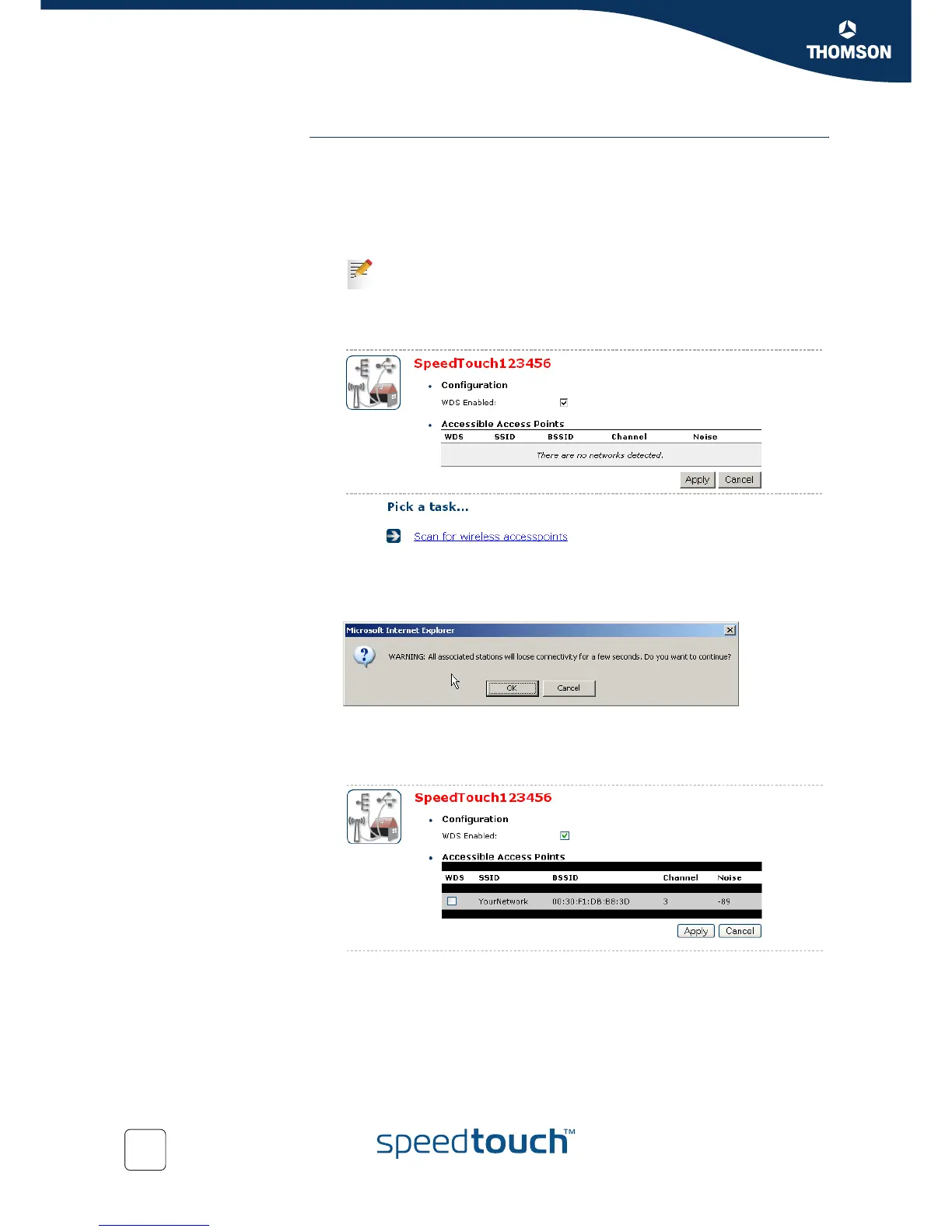
6 Select WDS Enabled.
7 In the Pick a task... list, click Scan for wireless access points.
8 A warning will be displayed:.
Click OK.
9 The SpeedTouch™ will scan for access points on the same radio channel.
10 Select your repeater in the List of Accessible Access Points and click Apply.
If not already done, set a fixed channel and check whether the security
settings (WEP encryption or no encryption) on your SpeedTouch™ are
the same as on the repeater.















 To Next Page