09
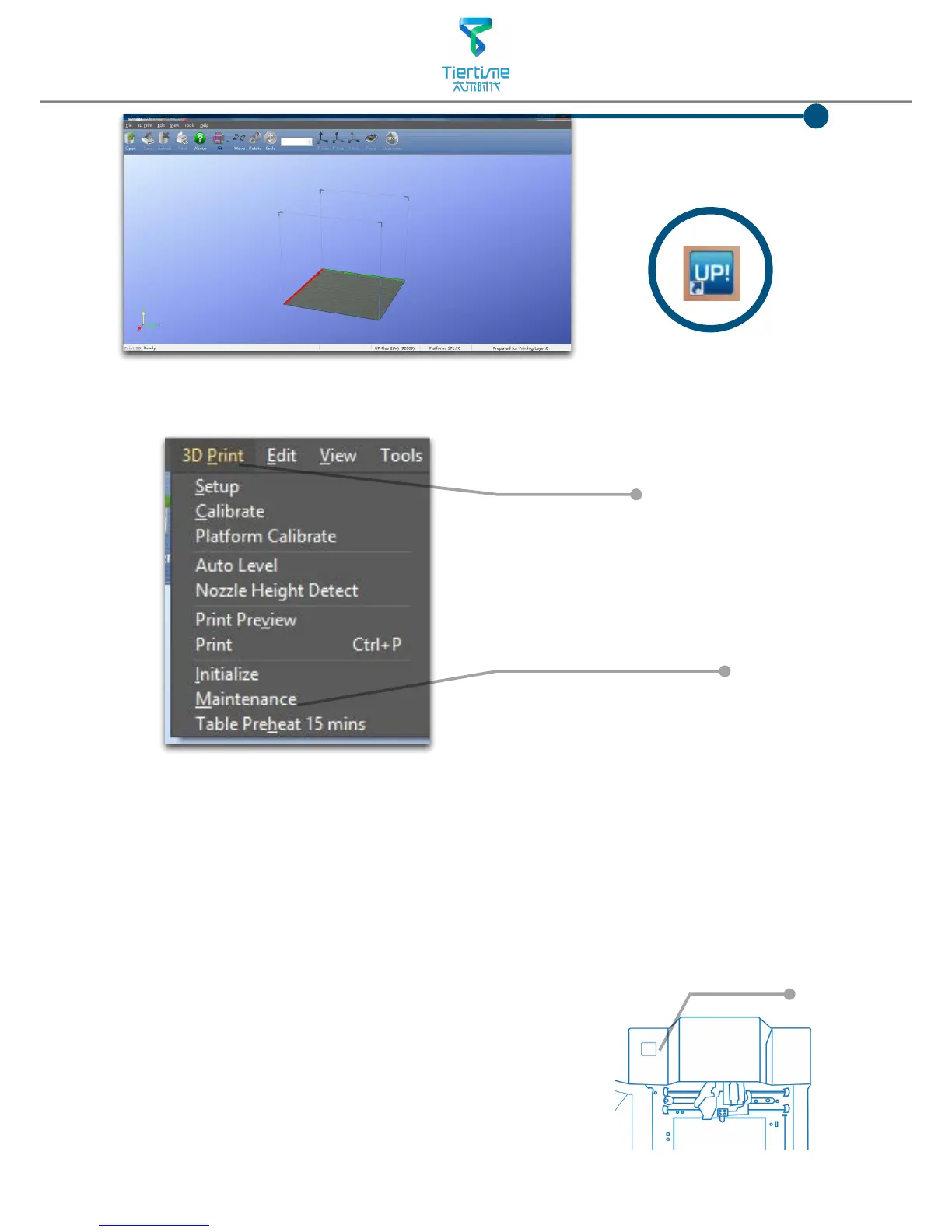
After driver installation,
double click the desktop
icon of UP software to
open it.
UP
Click"3D Print".
"Initialize" and "Maintenance"
options will light up and
avaliable for selection.This
indicate the successful
installation of printer driver.
Initialization of printer
Initialization is required for everytime the machine is switched on. During initialization the
XYZ aixs will move slowly and hit the endstops. This is essential as the printer need to nd
the endpoints of each axis.
Initialization Button
Two ways of initialization:
1. UP mini can be initialized by clicking initialization option in
the menu which is shown above.
2. The printer has initialization button on front of the
machine shown in the picture below. When the printer is
idle, press this button will trigger initialization
After initialization, the other software options will light up
and become available for use. These options can only be
chosen after initialization.



 To Next Page