11
Platform Calibrate: 1.Setting Nozzle Height
Setting nozzle height, actually, is not setting the nozzle itself as UP mini's print head
does not move in the Z-axis. Here the nozzle height we are refering to is a platform height
value, at this height, the platform will be just touching the nozzle (thus "nozzle height").
After setting the value, the platform will be restricted to move over "nozzle height" as the
it will start crashing onto the nozzle if going beyond it. The nozzle height value is important
for protecting the printer from damages as well as being the basis for calculating leveling
compensations.
During the calibration we are measuring distance shorter than 1mm, so we recommend
using a print paper as a guide for measurement.
Protocol for setting nozzle height:
Initialize printer
Open the calibration interface
and press the UP key, note
the current height value, stop
the platform at about 115.
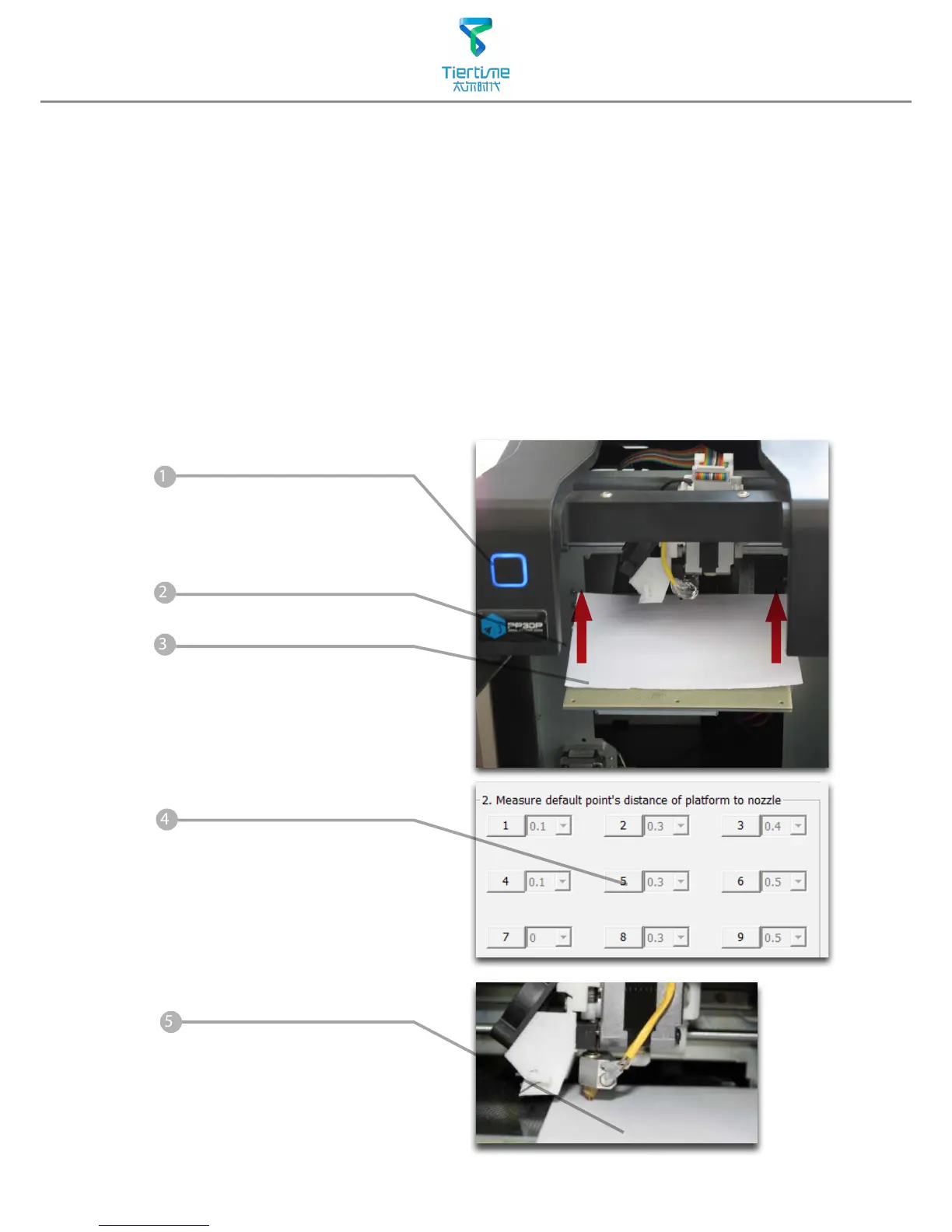
Put print paper on platform.
Hit the "5" button.Nozzle will go
to the center of the platform.
Raise the platform until it is
just touching the nozzle. We
can move the paper between
the nozzle and platform and
see if there is any resistance.
Like to diagram below.



 To Next Page