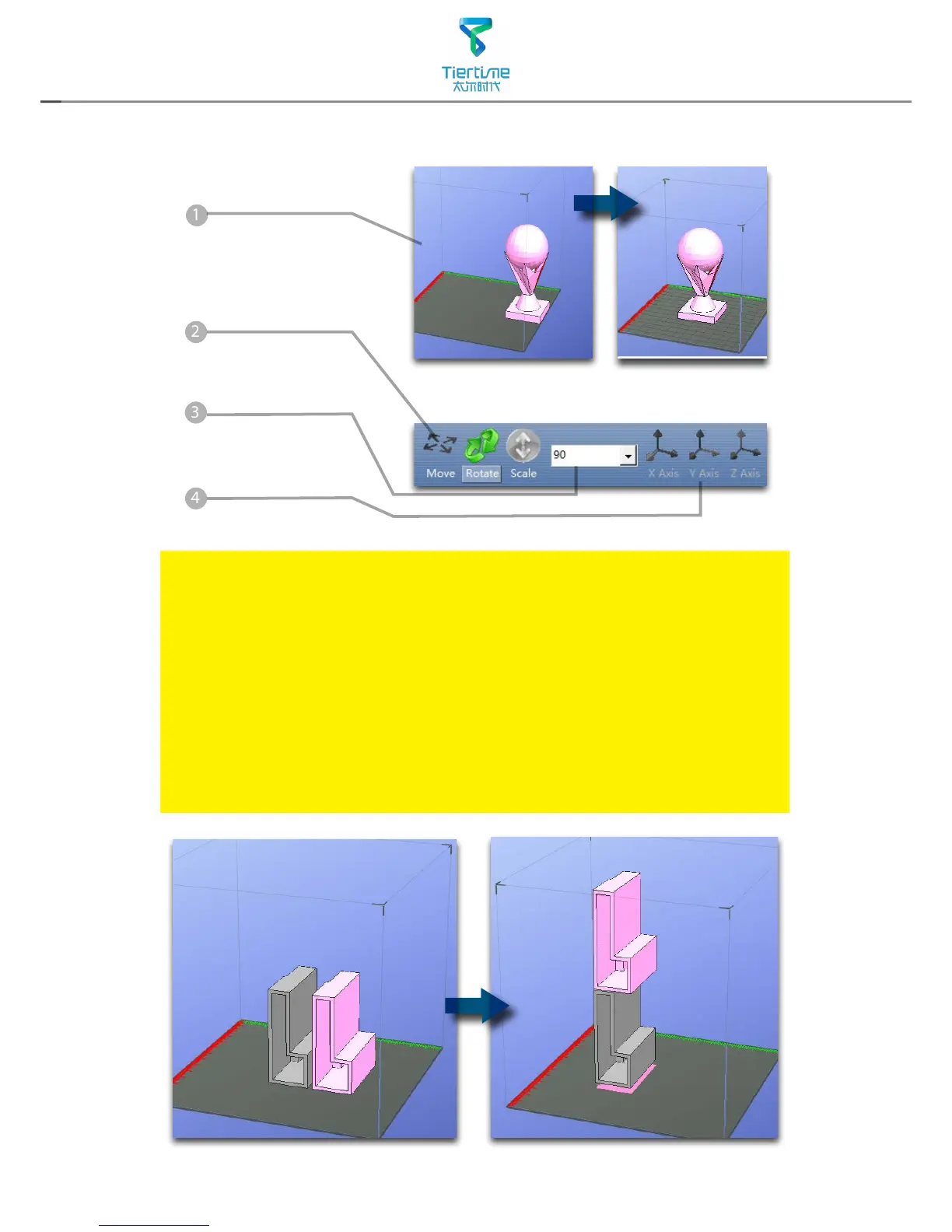
Select distance
value to in the drop
dwon menu.
Choose an axial
direction to move
the model.
Drag model with mouse on XY-plane: Press and hold Ctrl Key, mouse left
click and hold the target model, now the model could be dragged around
on XY-plane.
Drag model with mouse on Z-axis: Press and hold Shift Key mouse left
click and hold the target model, now the model could be dragged along
the Z-axis.
Multiple models could be stacked by moving. They can also be fused into
single model by "Merge" function in the "Edit" Menu.



 To Next Page