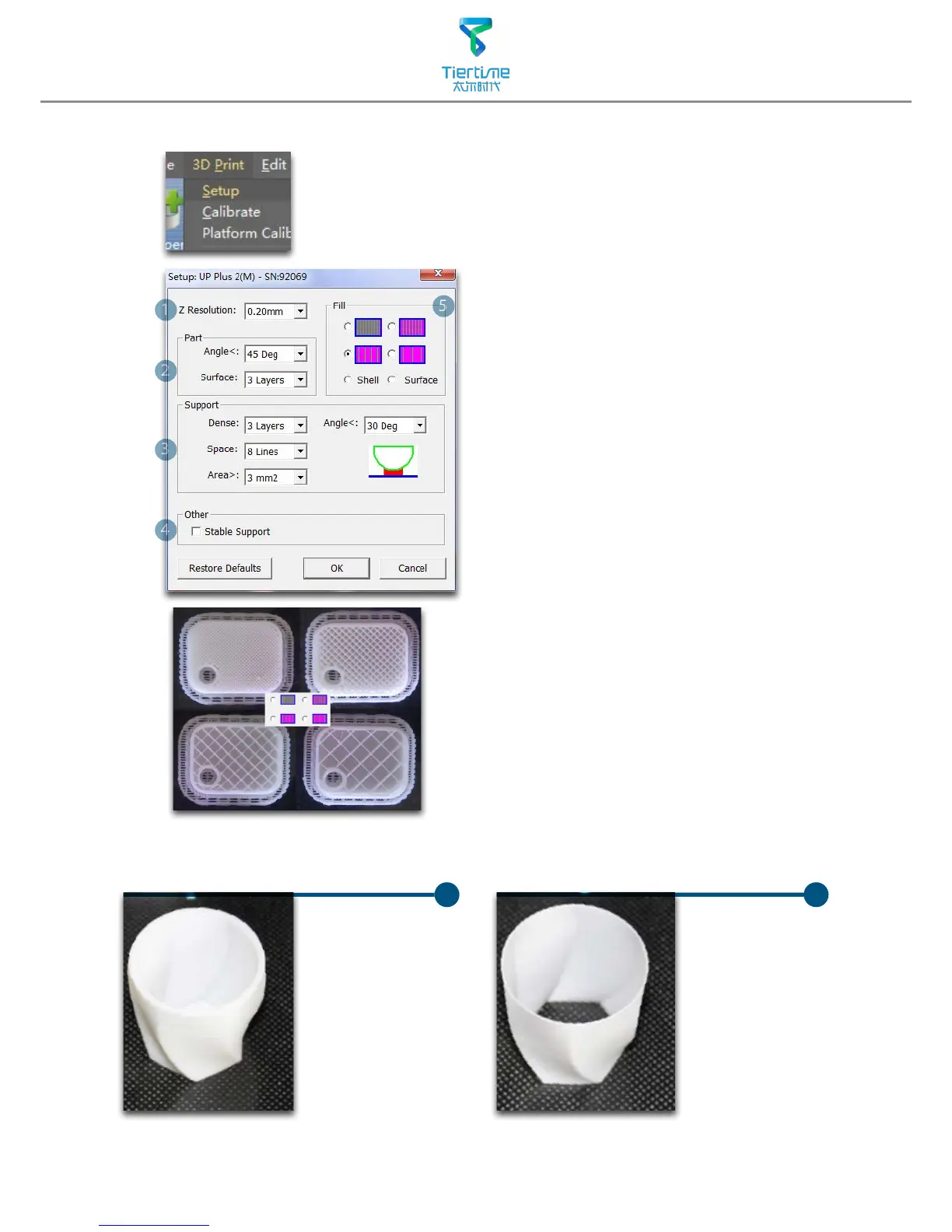
1. Z-resolution: Thickness of each printed layer,
the lower the value, the more
details will be generated.
2. Part:
Angle: Determine the range of dense
support generation.
Surface: Choose the how many layers will be
made for bottom of the
model.
3. Supprot:
Dense: How many layers for dense
support generations.
Space: Set the density of of support
structure, the larger the value
the less dense of the supporting
structure.
Area: If the supporting area is less
than this value,no support will be
generated.(it is possible to turn o
support by choosing only base.)
4. Stable Support: Generate more stable
support but more dicult to
remove.
5. Infill: The photo shows the effects of 4
dierent inll options.
Surface
The object
will be printed
without bottom
layers and top
layes. Only a
surface with
single layer
thickness will be
made.
Shell
No infill in
shell mode.
UP UP



 To Next Page