24
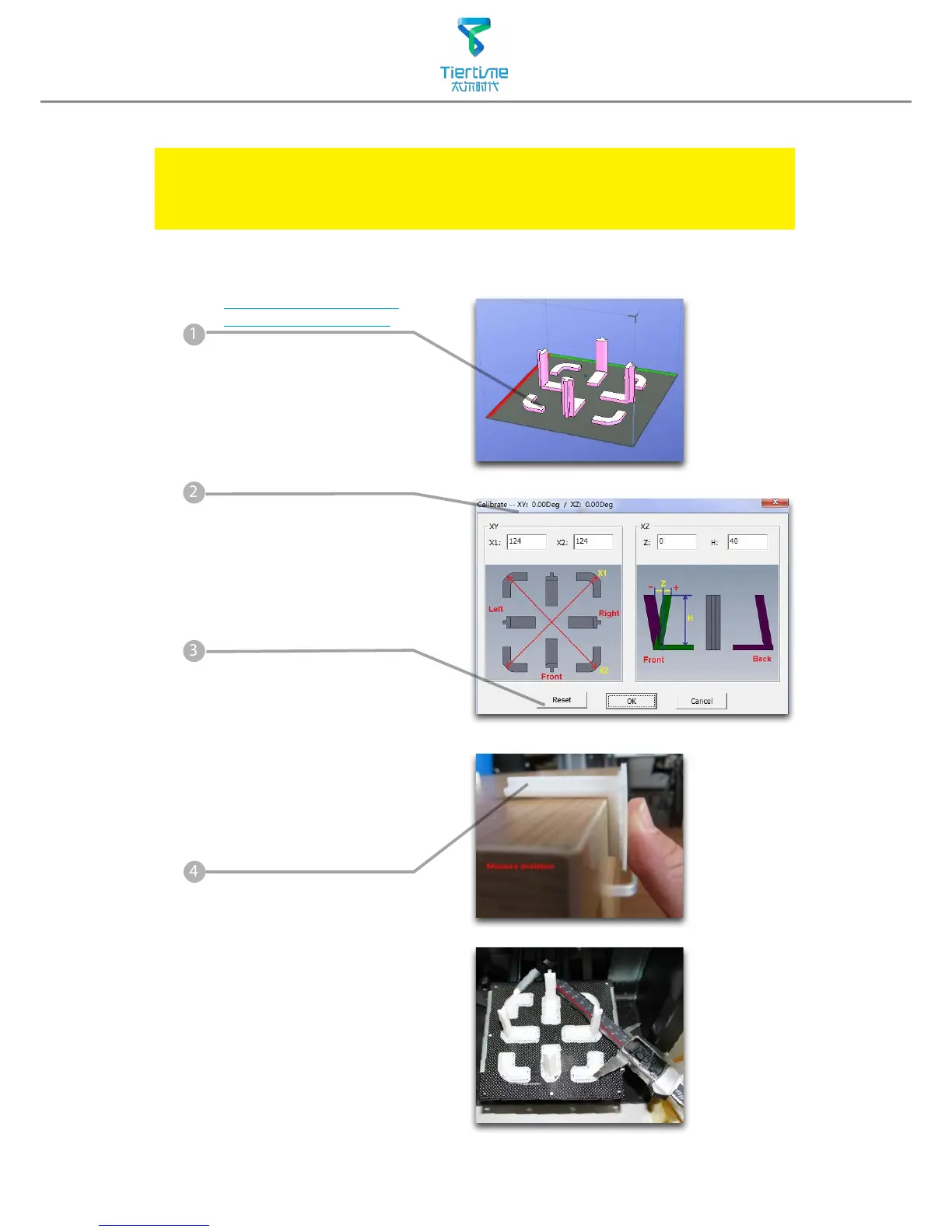
Load and print the
calibration model:
C:\ProgramFiles\UP\
Example\Calibrate96.UP3
Calibration for the Correct Dimension
If prints are too big or too small or skewed, user could re-calibrate the printer to
print in correct dimension. The method is to print a calibration model, measure
its dimension and feedback to the software.
Measure the printed model
accroding the calibration
panel.
Input the measured values
into the software and nish
the calibration.
Hit "Reset" button to
revert the value back to
default,make sure the upper
panel dispaly: XY:0.00 Deg/
XZ:0.00 Deg



 To Next Page