23
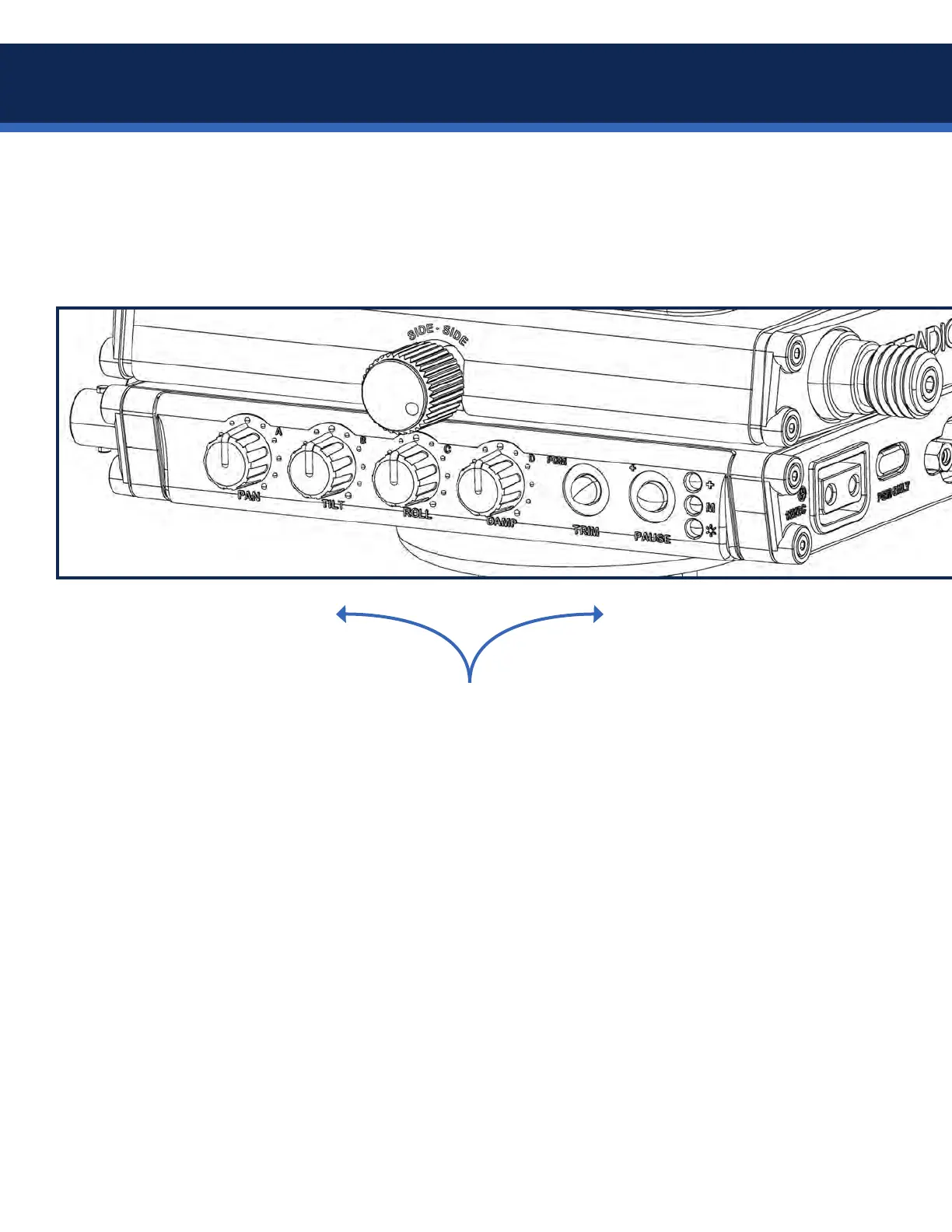
To further customize the performance of the Axis, there are two additional Volt adjustments available in a
secondary Menu-2, giving the dials second functions. By toggling from Menu-1 into Menu-2, you are able to
adjust pan inertia and pan drag using dial A and dial B. Pan inertia alters the force required to start and stop
apanmove,andpandragissimilartouidheaddragwhichslowsapanmove.
TIP: Set up your Axis sled on the balance pin and try out different combinations of strength (Menu-1) and the
additional pan adjustments (Menu-2) to acquaint yourself with how each changes the feel of the sled. Then
try with the sled on the arm to fully appreciate moving the Axis through space.
MENU-1 is indicated by a single-
pulse pattern of the * (power)
LED, and the dials adjust:
• PAN strength
• TILT strength
• ROLL strength
• DAMPING
NOTE: When powering up the
Axis, the Volt always defaults to
Menu-1. Both menu sets may be
accessed in Pause or while the Volt
motors are active.
MENU-2 is indicated by a double-
pulse pattern of the * (power)
LED, and the dials adjust:
• Pan INERTIA (A)
• Pan DRAG (B)
• Dials C and D are inactive,
reserved for future updates.
Set your pan strength to at least
50% while adjusting inertia and
drag, to ensure you feel the
changes, then re-adjust the pan
strength to suit your needs.
While the rig is powered on, press
the PAUSE button for 2 seconds to
toggle between the two menus.
Volt pan sub-menu


 To Next Page