24
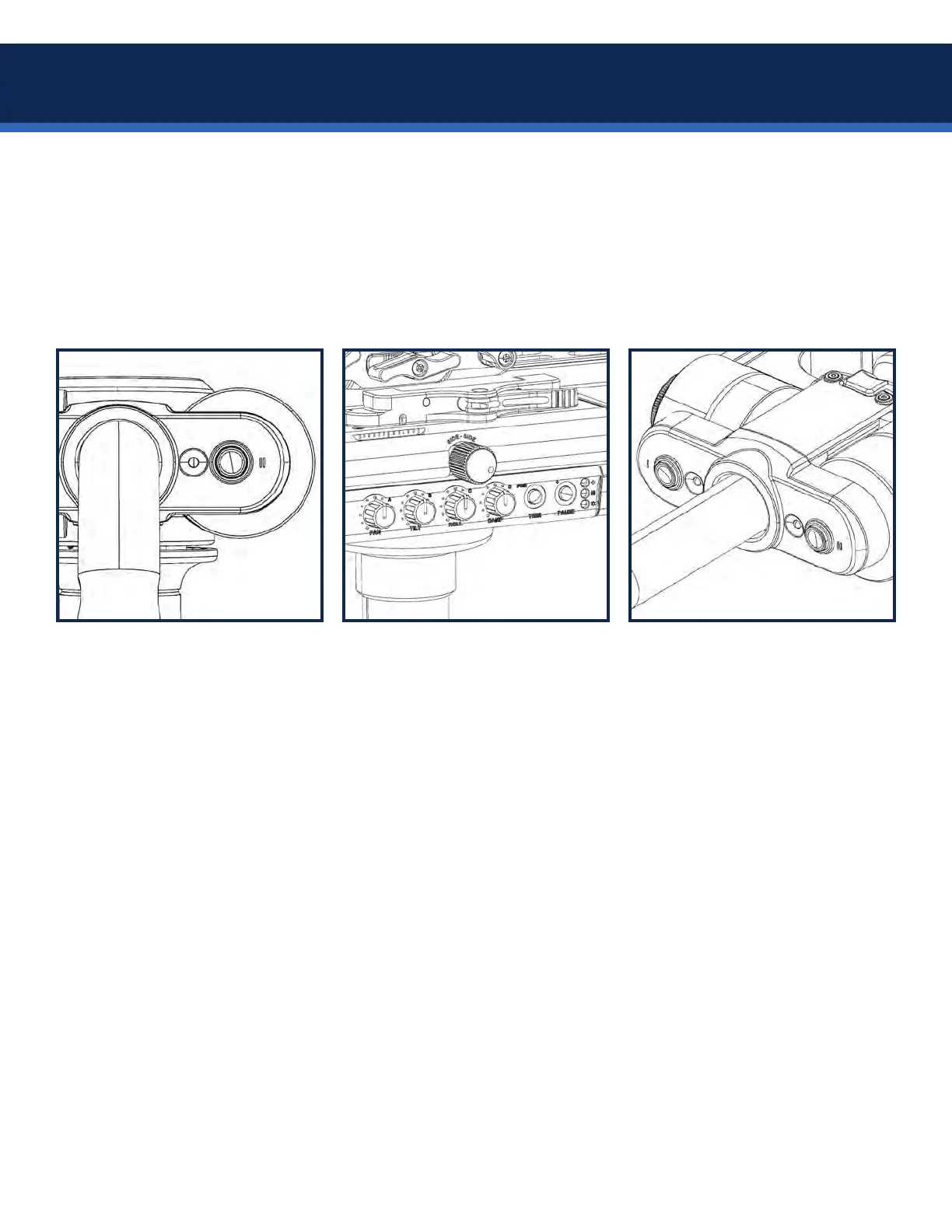
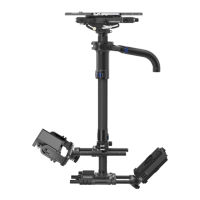
Tying all of your Volt options together are the Volt presets, controlled by the second button on the gimbal.
There are two presets (Scene-1 & Scene-2) where you will save settings ready to be activated anytime!
The Axis always powers up running Scene-1 (gimbal preset LED is dark) using the stored settings saved in
that preset, so this is a great opportunity to make this your personalized “go-to” setup. A press of the preset
button will swap to Scene-2 (gimbal preset LED illuminates) running your second set of stored values, great
for changing Volt behaviors during a shot. Here’s how to save settings in either scene:
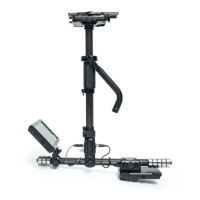
Set your Menu-1 and Menu-2
dial values you wish to save. Dial
settings are temporarily stored
while the Axis power remains on.
NOTES on working with the Volt presets:
• Scene-1isalwaysactiveatstartup,sothedialswillnotnecessarilyreectyour
settings.However,youcanchangesettingsontheyatanytime.
• Adjusting any dial will change the working value of that dial, but the remaining dial
values stored in the scene preset will continue to run. This allows making immediate
changes as needed (adding more Roll during a shot for example) without stopping.
• Changes made while running either preset will remain in working memory
regardless of switching scenes, but will not be automatically stored to either scene.
• Turning off the Axis before saving will result in losing unsaved settings. Use the 3
second preset press to merge any new dial settings into either scene.
• Unfortunately, you cannot display any saved preset values. A helpful trick is to stick
a piece of paper tape to the top stage, above the dials, and write the dial settings
(0-10) above each. Or keep a set of notes elsewhere.
• Remember, button II on the right is the default “preset” button, but goofy operators
may swap the two gimbal buttons! See page 34 for details.
• For the latest software revisions and operating procedures, visit Tiffen.com.
Press the preset button for 3
seconds until the LED blinks. This
memorizes all Volt settings into
the current scene slot.
• Preset LED off = Scene-1
• Preset LED on = Scene-2
Toggle between the two with a
momentary press of the button.
Volt presets


 To Next Page