20
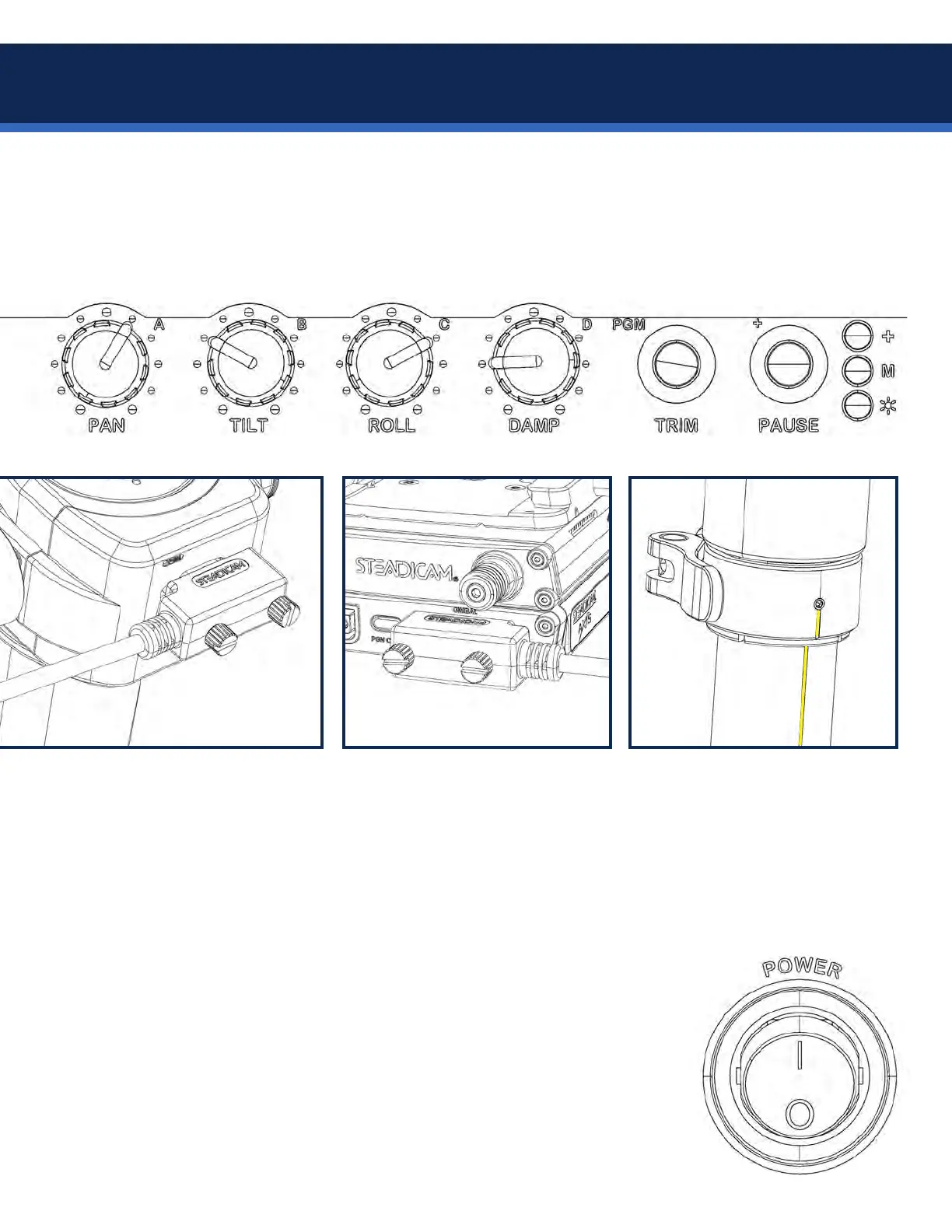
The integrated Volt electronics are controlled by the dials, buttons and LEDs on the top stage, plus a pair
of buttons and LEDs on the gimbal. If you’re already familiar with Volt systems, the same parts are there. The
same adjustments are there. The same transparent assistance is there. But the Axis has a new pan motor and
a number of clever tricks up its sleeve. Follow along closely to get up and running quickly.
ConrmtheVoltcableisplugged
in at the gimbal, secured with the
thumb screws, and wrap a couple
loops around the post on its way
up to the top stage.
Conrmthecableisalsosecured
at the top stage with the screws.
NOTE: You may wish to re-balance
after adding the cable, but it’s not
critical once the motors are active.
Conrmthegimbalmarkis
aligned with the etched line along
the back of the upper post.
The main power switch controls power to the entire Axis sled, including the Volt.
• When switched ON, the
*
(power) LED will pulsate with a single-pulse pattern.
• On power up, the Volt always defaults into Pause mode, so the gimbal motors
will not be active. Don’t un-pause the Volt until it’s on the arm or balance pin.
• The M (mode) LEDs are dark to indicate Pause mode.
• Turn the four dials each to zero and then to a strength setting you wish to use.
• The + LED may be on or off. This is a gimbal alignment indicator, see page 36.
• To run the Volt motors, short-press the Pause button. The mode LEDs will
illuminate and the
*
(power) LED will glow steady indicating the Volt is active.
Volt system operating


 To Next Page