36
Calibration of the gimbal rotational position to the stage and post is critical for proper Volt operation.
This alignment is initially factory set and typically will not require adjustment or re-calibration. However, if
recalibration is required for any reason, follow the steps listed below.
Before proceeding however, follow the troubleshooting suggestions and read through the FAQs starting on
page 40
andconrmthereisn’tasimplerexplanationforthebehaviorsyou’reexperiencing.
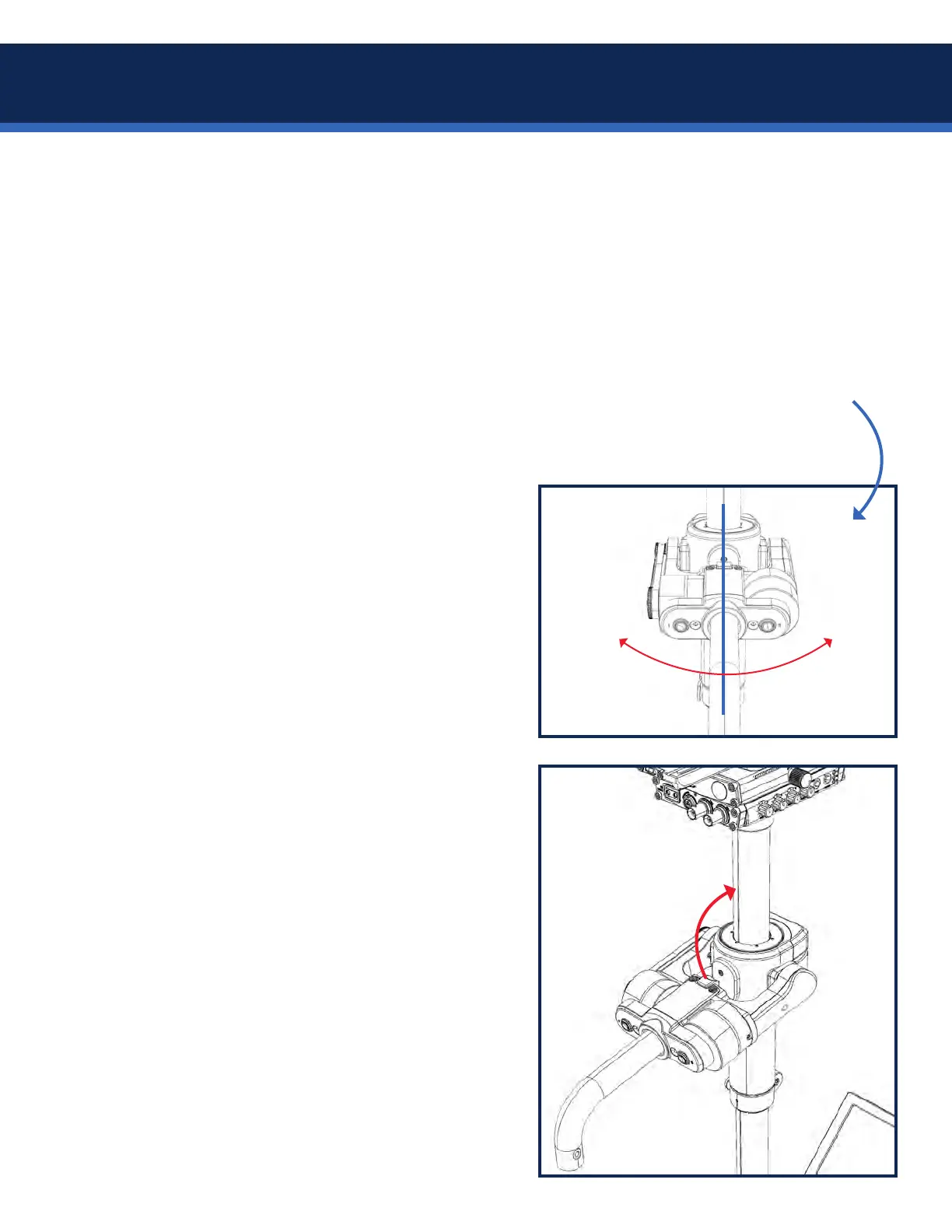
The + LED on the top stage may be used as an alignment indicator at any time: With the Axis powered on in
Pause mode, rotate the gimbal around the post. The LED should transition from OFF to ON when the gimbal
handle is aligned with the exact rear of the post, and therefore in line with the top stage.
Note that the LED will transition from OFF to ON also if the gimbal is facing backwards, so pay attention!
To set the gimbal alignment:
1. Place the sled in the docking fork and adjust the
gimbal height about halfway down the upper post.
2. Conrmtheyellowindexlinesonthegimbaland
post align exactly, and close the gimbal clamp.
3. Hold both gimbal buttons and power-up the sled.
4. Both gimbal LEDs should be blinking.
5. Press each gimbal button once so both LED’s go
solid ON. The rig is in index alignment mode.
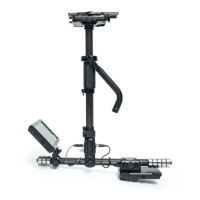
6. Lift the gimbal handle up until rubber bumper on
gimbal contacts the post and align the center of the
bumper with the yellow post line above the gimbal.
7. While holding the gimbal in this position, press
either gimbal button for aprox 3-seconds until both
LEDs extinguish, indicating you have completed the
alignment. Power down and back on again.
8. Use the + LEDtoconrmthegimbalisnow
properly aligned with the post and top stage.
+ LED OFF + LED ON
Gimbal alignment procedure


 To Next Page