34
Operating with a Steadicam on your left is traditional, as inventor Garret Brown preferred that side. But if
you prefer to operate on your right side, we call it goofy foot. Each component, the vest, the arm and the rig
are capable of switching to accommodate operating on the right side. Here are the rig changes:
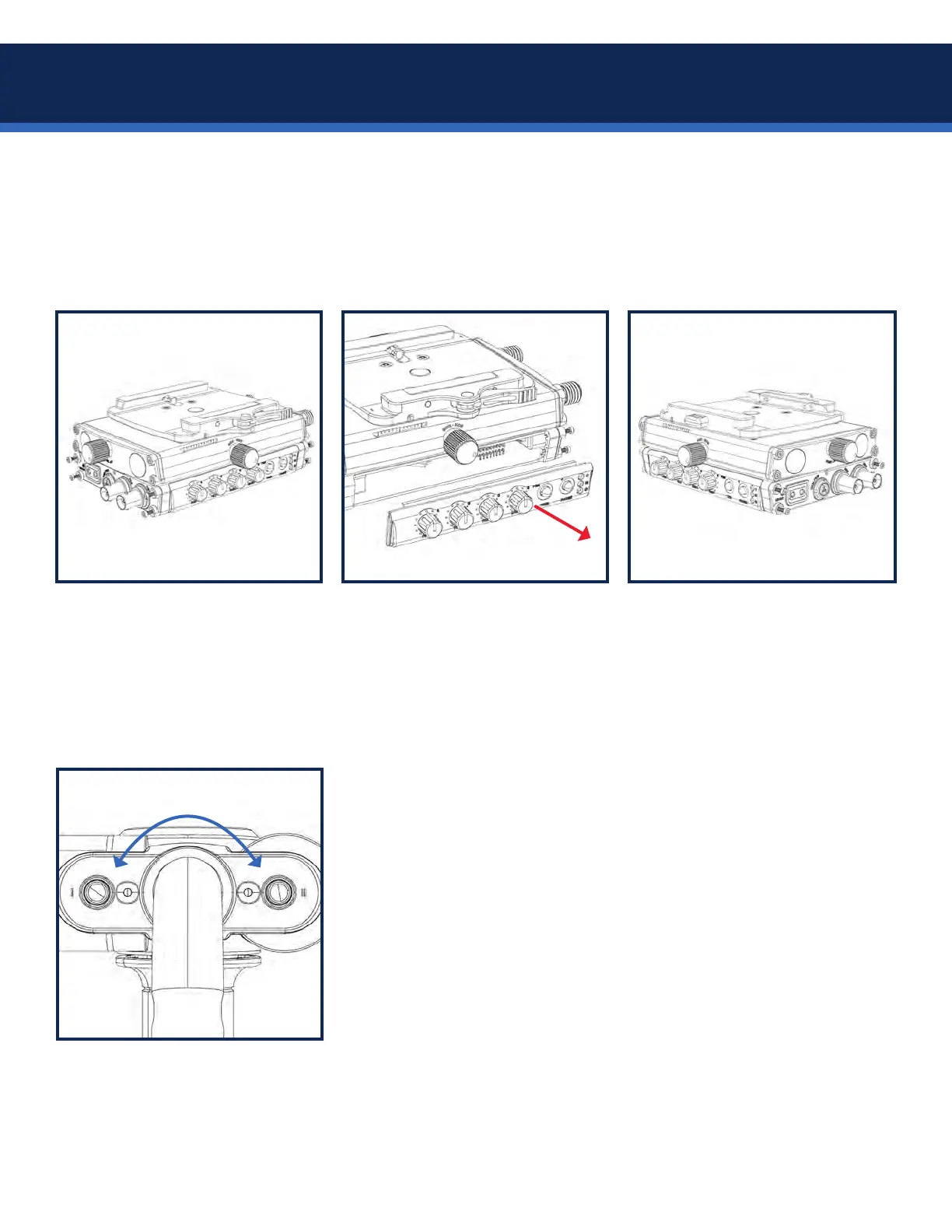
The Volt controls on the top stage may be customized for right side operating by swapping sides.
To assign the mode function to
the button and LED you prefer,
start with the power off.
Using a 1.5mm Allen wrench,
unscrew the four LOWER hex
head screws about 1/4” (6mm)
from BOTH ends of the top stage,
enough to remove the covers.
Press the control panel into the
left side, press the blank panel
into the right side, and tighten the
eight hex screws.
Carefully slide the control panel
from the top stage, disconnecting
the integrated connector.
Also remove the blank panel from
the other side.
1. Hold BOTH gimbal buttons while powering on the Axis.
2. Both gimbal LEDs should be blinking.
3. Select which button you wish to be the mode button and press it
one time. Your selected button LED will go solid ON.
4. Press and hold the same button again until the LEDs extinguish,
aprox 3 seconds, indicating you’ve completed button assignment.
5. Power the Axis off and on again and you’re ready to go!
6. The mode button on the gimbal will be indicated by the illuminated
LED when the Volt motors are activated, not in Pause mode.
IMPORTANT: Make sure one LED is solid and one LED is blinking when
you long-press to store your mode button selection. If both are solid,
you will be resetting the gimbal alignment, not the mode button!
Swap to goofy


 To Next Page