MEP S.p.A.
7--10
132
Use and maintenance manual TIGER 370 CNC--MR
Repl ac ing the MEP 24 controller Epr om
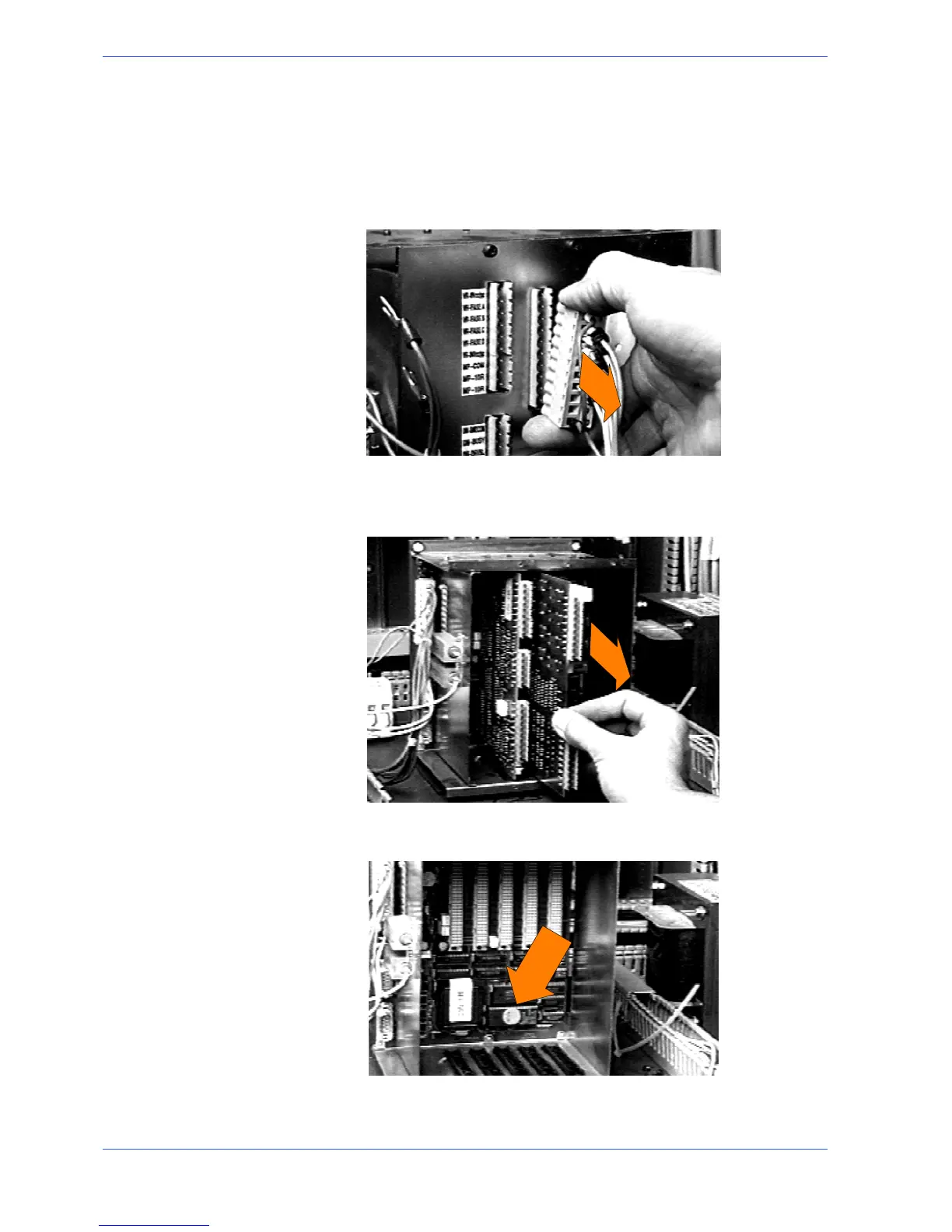
To do this, first disconnect the machine from the power supply.and open the front
panel on the electrical cabinet which houses the MEP 24 controller.
" Locate the MEP 24 controller and unhook all the terminals relative to IUV
CARD and CARDS 1---2---3.
" Remove the front panel of the controller using a screwdriver to unscrew the
screws which fix it to the controller.
" SlideouttheIUDandIUVcardsfromtheirslots.
" The eprom is mounted on the lower section of the CPU card (as indicated by
the arrow in the photo below).
EPROM


 To Next Page